

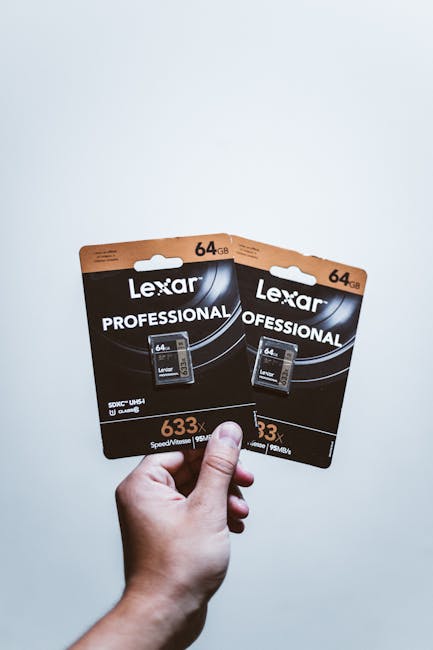
Here’s the annoying truth I’ve seen on real shoots: you can have a great camera and still get ruined by the card. I’ve watched a high-end mirrorless camera stop recording mid-take because the card couldn’t keep up. And I’ve also seen people waste money on “fast” cards that weren’t the right kind of fast for the file types they shoot.
If you shoot high-resolution photos (RAW) and high-bitrate video, you need more than a brand name. You need to understand memory card speed classes—especially for video recording and RAW burst writing. This guide breaks down what the speed numbers mean in plain English, then helps you choose the best memory cards for your workflow in 2026.
Speed classes in plain English: what really matters for RAW and video
The key idea is simple: your camera needs two things from a memory card—fast writes and fast sustained writes. Write speed is how quickly the card can save data from the camera. Sustained write speed is how well it stays fast when you record for more than a few seconds.
Most “slower than expected” problems come from sustained speed, not the advertised peak. For RAW bursts and video, your camera keeps writing for longer than the card’s top demo performance.
Speed classes are also based on different tests and different minimum targets. That means one card can look “faster” on paper but still fail your camera’s real job.
SD card speed classes (2026): what C10, U1, U3, V10–V60 actually mean
SD cards use a mix of old and new rating systems. The good news is you can still use them to pick the right card—if you read them the right way.
SD speed class ratings are:
- Class 2 / 4 / 6 / 10: Older speed classes. Class 10 is the minimum “serious” SD baseline for photos and basic video.
- U1 / U3 (UHS speed class): U1 supports 10MB/s minimum sustained. U3 supports 30MB/s minimum sustained.
- Video Speed Class (V10, V30, V60, V90): These are for video recording. V10 is 10MB/s minimum sustained for video, V30 is 30MB/s, V60 is 60MB/s, and V90 is 90MB/s.
My take: For high-resolution shooters, I treat SD cards like this:
- If you shoot RAW bursts, U3 is usually the safer minimum because it targets 30MB/s sustained.
- If you shoot 4K, aim for at least V30 or U3.
- If you shoot high-bitrate 4K or 8K, go for V60 or V90.
SD card minimum picks for common shooting situations
Here are quick “real world” picks I recommend when you’re trying to avoid dropped frames and slowdown.
| What you shoot | Safe SD speed target | Why |
|---|---|---|
| JPEG only, occasional video | Class 10 or U1 | Less data to write, shorter recordings |
| High-res RAW bursts | U3 (30MB/s sustained) or better | Camera needs sustained write while buffering clears |
| 4K video (standard bitrates) | V30 or U3 | Targets minimum sustained video write |
| High-bitrate 4K (log, high detail) | V60 | Less buffer room; sustained speed matters more |
| 8K video | V90 | Even with fast cameras, you need headroom |
Quick note: some cameras write in bursts for photos and stream for video. That’s why a card that feels fine for photos can still struggle with long video takes.
microSD for cameras: the same idea, but more traps

microSD cards look similar on the outside, but they’re often a bigger risk in high-resolution camera use. Many microSD cards are slower models branded as “high performance,” and the sustained speed can be inconsistent.
In practice, I recommend treating microSD for video like SD: buy by the Video Speed Class (V) number, not the “read speed” number.
What to look for on microSD:
- For 4K: V30 minimum
- For high-bitrate 4K: V60
- For 8K: V90
- For RAW bursts: U3 (or higher) is the safer minimum
What most people get wrong: They buy a card because it says “up to 170MB/s read,” then they record a long take and wonder why the camera drops frames. Read speed is only half the story. Video writes depend on write and sustained write.
microSD + adapters: why it can slow down your write speed
If you use a microSD-to-SD adapter (or a dual-slot setup), pay attention to the adapter quality. I’ve seen cases where a good microSD card still underperforms because the adapter adds extra friction and the camera reports slower writing during long recording.
If you’re buying for a workflow, keep it simple: use the card type your camera is designed for, and avoid extra handoffs unless you have a reason.
CFexpress and XQD (when you need serious RAW + long takes)
CFexpress Type A/B and XQD cards are made for speed and endurance, which is why many pro-focused camera bodies use them. The speed class system is different than SD, but the goal is the same: sustained writes.
CFexpress cards often advertise throughput like “max read” and “max write,” plus sometimes supported specs tied to the PCIe bus. In plain terms, they usually give cameras enough headroom to keep recording even when your scene is demanding.
When CFexpress/XQD makes sense:
- You shoot RAW bursts where the camera buffer clears slowly on slower cards.
- You shoot high-bitrate video for long takes (weddings, events, live performances).
- You want fewer “card write errors” and less downtime during fast moments.
I’ll be honest: CFexpress is more expensive. If you shoot casually, SD or microSD can be enough. But if you’re doing paid work and you can’t afford dropped footage, CFexpress/XQD can be a smart cost because it reduces risk.
How I choose CFexpress cards for high-resolution shooters
I look at three things in this order:
- Capacity that matches your shoot length (not just the biggest card you can buy).
- Supported sustained write performance for the camera model (maker recommendations help here).
- Real reviews from people using the same camera class and video settings.
For example, on fast action, I’d rather have two mid-cap cards that reliably sustain writes than one “top speed” card that’s flaky in long sessions. Reliability beats bragging rights.
Speed classes for video: V ratings, bitrate, and frame drops
Video Speed Classes (the V numbers) are the clearest way to match a card to video needs. A V30 or V60 target is meant to help the card keep writing while you record.
Here’s how I think about it when I’m testing cards for video:
- Higher bitrate video writes more data per second.
- The camera buffers some data, but the buffer only buys you time.
- Once the buffer fills, the camera depends on sustained card write speed to continue.
So if you record a 4K clip at high bitrate on a card that’s only “okay” on paper, you may get the first part of the clip and then a stop. That’s the exact moment your card can’t sustain.
Quick math: match bitrate to a rough write target
You don’t need heavy math, but a quick mental check helps. Bitrate tells you how many megabits per second (Mb/s) your camera writes. To get megabytes per second (MB/s), divide by 8.
Example: If your video is 200Mb/s, that’s about 25MB/s write data. You’d want a card that targets more than that, with headroom for overhead.
That’s why V60 cards are so popular for demanding 4K. They give you room for peaks and internal overhead.
RAW bursts and buffer clearing: why “fast read” doesn’t save you

RAW burst performance is mostly about write speed and how quickly your camera buffer can flush to the card. If the card can’t keep up, you’ll see slower burst rates, longer pauses after bursts, or in worst cases, write errors.
Here’s what I watch during RAW tests:
- How long the camera keeps shooting before it slows down.
- How fast you can resume after a burst ends.
- If the camera shows a “card full” or “buffer” warning earlier than expected.
Also remember: RAW size depends on resolution, compression, bit depth, and settings. Two cameras with the same “number of megapixels” can write differently.
My RAW card rule of thumb for high-resolution shooters
If you shoot high-res RAW and care about burst speed, I’d rather buy a card with a higher sustained write rating than chase the fastest advertised read speed.
For SD/microSD systems, that usually means:
- U3 minimum for RAW bursts (30MB/s sustained)
- V60 if you also shoot video or you want extra safety
- Dual-card workflows where possible, so you reduce downtime
If your camera supports CFexpress/XQD, I’d treat those as “workhorse” cards for paid shoots. You pay for stability.
People Also Ask: Speed classes and choosing the right card
What memory card speed do I need for 4K video?
For most 4K recording in 2026, you want at least Video Speed Class V30. For high-bitrate 4K, choose V60 for better safety during long takes.
Always check your camera’s recommended card list too, because some cameras are pickier than the spec sheet.
Is UHS-I (U1/U3) enough for RAW photos?
For many high-resolution photo shooters, U3 (30MB/s sustained) is enough to keep bursts going. If you shoot long bursts often or use very large RAW files, you’ll get better results with higher-end cards (V60 or CFexpress).
This is one of those “it depends” areas, but I’d rather you overshoot the minimum than stall mid-session.
Do faster read speeds help with writing RAW and video?
No—read speed mainly helps when you import files to your computer. RAW writing and video recording depend on write speed and especially sustained write speed.
So focus on V ratings for video and U3/V numbers for sustained performance.
Why does my camera say the card is too slow?
This usually happens when the card can’t sustain the required write rate. Sometimes it’s the card itself, and sometimes it’s a setup issue like an adapter, a slot that’s capped, or settings that push bitrate higher than the card expects.
I’ve seen cameras become much more strict when you enable features like higher frame rates, 10-bit video, or certain RAW video modes.
What to check before you buy: compatibility and real-world reliability
Speed ratings are only useful if the card works well with your camera. In 2026, the safest approach is to check three sources: your camera manual, the manufacturer’s recommended cards list, and recent user reports.
I also look at formatting and workflow. A brand-new card should be formatted in-camera (not just in a computer) so the camera uses the right file system and setup.
Practical buying checklist (use this every time)
- Match the card type your camera takes (SD, microSD, CFexpress, etc.).
- Use video V ratings for video work (V30/V60/V90).
- Use U3 or higher if you shoot RAW bursts on SD/microSD.
- Pick capacity by shoot time, not by the biggest price-tag you can stomach.
- Buy from a reputable seller to avoid counterfeits.
Counterfeit cards are a real issue. If a “Pro 1000x” card is suspiciously cheap, don’t gamble with paid shoots.
My recommended card categories by shooter type (so you don’t overspend)
You’ll save money if you buy for your real shooting style, not for the most extreme spec.
Event photographers (RAW bursts + occasional 4K)
If you’re doing events, you usually need stable RAW burst performance and quick recovery after bursts. I recommend SD/microSD cards that target at least U3, and if you record video a lot, step up to V60.
CFexpress is a strong choice if your budget allows it, especially for long days.
Hybrid shooters (photo + long-form video)
Hybrid shooters hit the hardest mix of needs: fast writes for RAW and steady writes for video. That’s where a higher V rating pays off, because video is the first thing to fail when sustained write gets shaky.
For high-bitrate 4K, V60 is the sweet spot for many setups. For more demanding work, go V90 or CFexpress.
Studio photographers (controlled pace)
If you shoot in a studio with shorter bursts and lots of time to import, you can often get away with lower sustained targets. I still recommend at least U3 for high-resolution RAW to keep burst performance smooth.
Studio work is where you can prioritize capacity and fewer swaps, but don’t ignore card reliability.
Storage security angle: cards fail, so protect your images
Memory card speed isn’t just about performance—it’s also about reducing errors. When cards fail or start acting up, you lose time, and sometimes you lose files.
If you’re serious about image safety, you should pair your card choice with a solid backup routine. A slow import workflow can tempt you to “just copy later,” and that’s when mistakes happen.
I’ve written more on safe habits in cybersecurity for photographers and how to protect your image library from risky setups. It’s not only about hackers—file loss is often human error.
Conclusion: pick the right sustained speed class, then buy capacity for your actual shoot
Top memory cards for high-resolution shooters aren’t the ones with the biggest “read” number. They’re the ones that deliver reliable sustained write speed for your RAW bursts and your video bitrate.
Use this quick rule: for SD/microSD, aim for U3 for RAW bursts and V30/V60/V90 for video based on how demanding your settings are. If you shoot paid work with long takes or heavy RAW workflows, CFexpress/XQD is the stability upgrade that usually pays for itself.
If you want to keep learning, check out our Gear Reviews section for card recommendations by camera class, and our tutorials on building a fast backup workflow so your files survive every shoot.
Featured image alt text suggestion: “Top memory cards for high-resolution shooters showing SD U3 and V60 speed labels for RAW and video.”
Note: Always confirm with your specific camera model’s card compatibility list. Speed classes are helpful, but your camera’s firmware can be more strict than the general spec.