


Here’s a quick reality check: two cameras can have the same resolution and the same frame rate, but one will still “bend” fast-moving subjects because of sensor readout speed. That bending shows up as rolling shutter, and it’s why some sports and panning shots look sharp while others look wobbly.
Sensor readout speed is the time it takes the camera to scan the image from top to bottom (or similar scan pattern) and move the light information into the final image. When the scan takes longer, parts of the frame are captured at different moments, so motion turns into skew. In this guide, I’ll explain what readout speed really means, how it connects to rolling shutter, and what you can do in the real world to get cleaner motion photos—especially if you shoot cars, skateboarding, dance, birds, or anything that moves fast across the frame.
Camera sensor readout speed explained (and why it controls rolling shutter)
Readout speed is the main timing factor behind rolling shutter. Most people focus on megapixels and “how many frames per second,” but the sensor’s scan time matters just as much, sometimes more.
Rolling shutter is an artifact that happens when each row of pixels is exposed/read at a different time. X refers to “exposure timing differences across the frame,” which creates distortion when the subject or the camera moves. If you whip-pan a camera quickly, you’ll see vertical lines lean, propellers look like they’re melting, and building windows slant.
In practice, modern cameras vary a lot. Some models read the whole sensor fast enough that rolling shutter is small, even in 4K video. Others use a slower readout path (even if they claim high frame rates), so fast motion gets bent.
Rolling shutter symptoms: what you’ll see when readout speed is slow
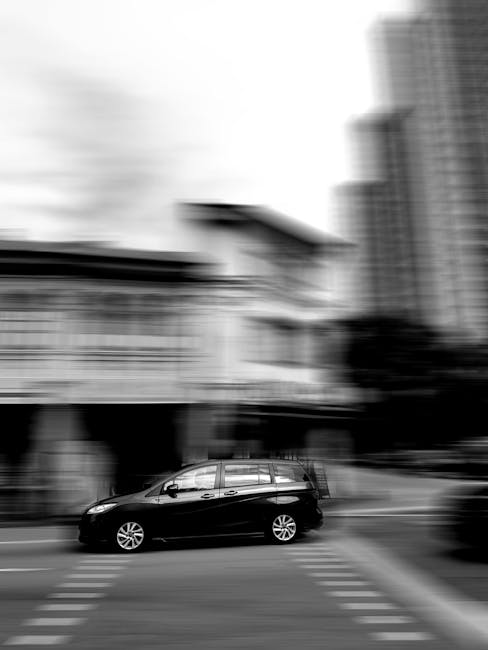
Slow sensor readout shows up as direction-based distortion. The most common “tell” is skew along the direction the sensor scans.
Here are the classic symptoms I look for when testing a camera body at home. I take the same scene with the same settings and compare how the artifact changes when I change shutter speed and movement speed.
- Skewing edges: straight lines (like rails on a bridge) look like they’re slanted after a quick pan.
- Wobble in rotating objects: wheels, fans, and propellers turn into curved streaks or warped discs.
- “Jelly” in video: handheld motion feels like the frame is stretching and squeezing.
- Vertical smear differences: when you move the camera faster left-to-right vs top-to-bottom, the distortion pattern changes.
What most people get wrong is blaming the lens or autofocus. A lens can blur motion, but rolling shutter warps the geometry in a way blur doesn’t. Autofocus misses also create softness, but the subject usually still keeps its shape. Rolling shutter changes the shape of the subject inside the frame.
How sensor readout speed interacts with shutter speed and frame rate
Readout speed changes how “tall” each captured slice is in time. Shutter speed affects motion blur by limiting the exposure time. Readout speed affects motion shape by changing when each row gets read.
Let’s make it concrete. Imagine your camera takes a long scan from top to bottom. During that scan, a moving car keeps moving. Each row “freezes” the car at a slightly different position. The result is slanted wheels, stretched body panels, or a “tilt” effect you can’t fix in editing.
Now add shutter speed. If your shutter speed is very slow (like 1/30), you’ll get blur and rolling shutter together. If your shutter speed is fast enough (like 1/1000 or faster for many action moments), you reduce blur, but rolling shutter can still warp the image if the scan is slow. In other words: fast shutter helps, but it doesn’t automatically fix rolling shutter.
Rolling shutter vs frame rate: why more FPS doesn’t always mean less distortion
Higher frame rates often come from faster processing, but the sensor scan might still be slow. Many cameras increase FPS by changing how the sensor is read or how much of the sensor is used (cropping, binning, or different read modes). That can change rolling shutter behavior in unpredictable ways.
I’ve seen setups where 60p looks worse than 30p because the camera switches to a faster output mode that still uses a readout pattern that isn’t ideal for fast horizontal motion. The only way to know is to test your exact camera mode: resolution, frame rate, and whether you’re using full-sensor readout or a cropped area.
If you shoot action often, treat each video/photo mode as its own “camera.” A manufacturer spec like “X readout speed” (if even provided) may not apply to every mode.
Global shutter vs rolling shutter (quick and practical)
Global shutter captures all pixels at the same time. Rolling shutter captures rows over time. Global shutter reduces the warping you get from motion across the frame, especially for fast camera pans and fast moving rotating subjects.
Most consumer cameras still use rolling shutter, though some specialized sensors and certain higher-end workflows use global shutter. If you’re considering gear upgrades for sports, this is one area where the sensor tech really matters.
Real-world motion scenarios where readout speed matters most
Readout speed hurts most when motion crosses the frame quickly. It’s not just speed; it’s speed plus direction plus your camera movement style.
Cars, bikes, and motorsport: panning is where it shows
When you pan to track a car, you’re moving the camera smoothly. The car moves too, usually in a direction that lines up with sensor scan distortion. In my experience, the steering wheel and spokes are the first things to look “wrong.”
Try this at home: choose a shot where you can keep your pan smooth. Compare a fast shutter (for example 1/2000 with ISO adjusted) vs a slower shutter (1/125). If the geometry still warps at fast shutter, that’s rolling shutter. If it disappears mostly, that’s mostly motion blur.
Skateboarding and dance: the moment legs cross the frame
In freestyle sports and dance, limbs move fast and sometimes sweep across the frame diagonally. A slow readout can make a jump look like the whole body bends or “lags” behind. You’ll see it on silhouettes against bright backgrounds.
Here’s my tip: watch the leading edge of limbs. If a hand or foot looks like it’s “ahead” at the top and “behind” at the bottom, you’re seeing readout timing distortion.
Birds in flight: less about speed, more about direction
Bird photography is tricky because the subject often moves in curves, and your focus tracking matters. Readout speed still affects you, but it often shows up when you do fast reframes or when the bird crosses the frame quickly.
If you shoot with a long lens, small camera movements can become big in the frame. Rolling shutter can be a hidden factor when you crop heavily.
How to test rolling shutter and readout speed on your own gear
You don’t need lab gear to feel the difference. You can build a repeatable test using simple objects, a stopwatch, and the camera settings you actually use.
DIY test chart: props + lights + fast pans
Set up a scene with strong straight lines and a moving element. I use a window blind or a ruler taped to a board for straight lines. For movement, I spin a small fan or roll a bike wheel by hand.
Then shoot:
- Pick your action-like settings (example: 1/1000, Auto ISO off, fixed white balance).
- Record in your key modes (example: 4K 60p and 4K 30p, or burst photo modes).
- Pan left-to-right and right-to-left at a consistent speed.
- Compare the direction and amount of skew at the same moment in the sequence.
When I do this, I also check background lines. Subject blur can hide distortion. If the background lines warp, it’s almost always rolling shutter.
What to record so you can compare later
Write down every setting—because rolling shutter changes by mode. I keep a short checklist on my phone.
- Resolution (1080p vs 4K)
- Frame rate (30p vs 60p)
- Shutter mode (mechanical, electronic shutter, or rolling shutter in video)
- Crop mode (full sensor vs cropped)
- Stabilization on/off (IBIS can change motion in the frame)
- Lens focal length (longer focal length exaggerates the effect)
This makes your comparisons honest. Otherwise you end up thinking one lens is “bad,” when your camera switched readout mode.
Practical settings that reduce rolling shutter during motion photography

The fastest win is to reduce exposure time and choose a camera mode with faster readout behavior. You can’t always eliminate rolling shutter, but you can shrink it enough that it stops ruining shots.
Step-by-step: dial in action settings for less skew
- Use a fast shutter speed: start at 1/500 for moderate action, 1/1000 for fast crossing motion, and 1/2000+ for extreme movement (sports, close panning, spinning props).
- Choose electronic vs mechanical shutter carefully: if your camera offers a true mechanical or a different shutter readout option, test both. Some electronic modes increase rolling shutter.
- Avoid unnecessary camera movement: rolling shutter gets worse when you pan faster than your subject speed. Smooth is better than fast.
- Stabilize your stance: plant your feet, use a monopod or gimbal for consistent pans if that fits your style.
- Prefer shorter bursts over long bursts in certain modes: some cameras change readout behavior as buffers fill.
I know that sounds basic, but it’s the stuff that actually changes the outcome. In 2026, many cameras still don’t give a direct readout speed figure for each mode, so your settings tests are your “spec sheet.”
What about autofocus, stabilization, and tracking?
Autofocus and tracking won’t fix rolling shutter, but they can hide it less. When focus is sharp, you see distortion more clearly because edges are crisp. That’s good for learning, but it’s not always what you want.
Turn on the tracking mode you trust. Then focus on shutter speed first. If your focus is missing, rolling shutter can look like it’s the culprit. Fix focus, then reassess distortion.
For IBIS (in-body stabilization), I usually test both on and off. IBIS can make your pan more stable in some cases, but it can also add subtle motion patterns that change how distortion looks.
Camera mode choices that change readout speed (and why resolution and FPS matter)
Sensor readout speed changes when you change resolution, cropping, or output mode. That’s because the camera may read only part of the sensor, or it may change how it bins pixels before writing.
Here’s a comparison you can use as a checklist. It’s not tied to a single brand, because the names differ, but the behavior is similar across 2026 camera lines.
| Setting change | Why it affects readout speed | What you’ll notice | Action to try |
|---|---|---|---|
| Lower resolution (like 1080p) | Camera may scan fewer lines faster | Less skew in fast pans | Test 1080p60 vs 4K60 for your subject |
| Higher FPS (like 60p vs 30p) | Camera may change sensor read mode | Rolling shutter can improve or get worse | Test both FPS modes in the same motion |
| Cropped mode | Fewer pixels read, different scan pattern | Sometimes less skew, sometimes more | Compare with the same framing distance |
| Electronic shutter vs mechanical | Different read timing behavior | Electronic can show more warping | Test with props + straight lines |
My opinion: stop trusting only “spec sheet” readout claims
If a brand gives you readout speed, great—but verify it in your real modes. Many camera menus hide details like scan direction, partial readout size, or special high-speed modes. I’d rather spend 10 minutes testing two modes at home than guess based on a marketing number.
Also, people forget that lenses change motion blur and contrast edges. If you change lenses, you change what you can see. Keep the lens the same when testing readout behavior.
People Also Ask: rolling shutter and sensor readout speed
Does faster sensor readout speed always eliminate rolling shutter?
No. Faster readout reduces skew because each row is captured closer in time, but rolling shutter can still appear if the remaining scan time is long relative to your motion. It also depends on whether you’re using electronic shutter, how your camera windows the sensor, and how fast you pan.
What shutter speed should I use to reduce rolling shutter?
Use the fastest shutter speed you can afford in the light. For motion that crosses the frame quickly, start at 1/1000. If you’re doing extreme pans or rotating subjects, 1/2000+ is often where the “warping” becomes much less obvious. If you can’t reach those shutter speeds due to light, rolling shutter may still be your limiting factor—so you’ll need mode testing and better movement control.
Is rolling shutter only a video problem?
It’s not only video. Many cameras use rolling readout in both video and stills when you use an electronic shutter or certain burst modes. Mechanical shutter may reduce it, but not always. The key is which readout path the camera uses in your mode.
Can editing fix rolling shutter distortions?
Some software can reduce it, but it won’t bring back the missing geometry. For photos, rolling shutter means the image was captured at different times per row, so the subject positions are already “wrong.” You can sometimes straighten lines, but if the subject is bent hard, you’ll lose detail and realism. For best results, prevention beats correction.
Which is worse: panning fast or moving the subject fast?
Both can be bad; the worst case is fast motion across scan direction plus your own camera movement. If the subject moves quickly across the frame and you pan in sync, distortion can still happen. If you keep the pan smooth and reduce shutter time, you’ll often get better geometry than you’d expect.
Gear and workflow tips: what I recommend for motion shooters
Pick settings that match your motion style, then build a repeatable workflow. If you shoot action for clients (weddings with dance floors, sports, events), you can’t gamble.
Workflow I use for action coverage
- Pre-test the camera modes: before the event, test your most used video/photo modes with quick pans.
- Lock exposure: if you’re using manual exposure, keep shutter speed high and let ISO float when you can.
- Keep white balance fixed: it helps you spot true sharpness and reduces color noise surprises.
- Review in a consistent way: zoom to 100% and look at straight lines first, not just the subject.
If you’re also managing image files and security, you’ll want solid backup habits. For that side of things, check out our guide on cybersecurity for photographers so your client downloads and raw archives don’t get hit by ransomware. (You can be the best action shooter in the world and still lose the shoot if the files aren’t safe.)
Lens choice matters, but it doesn’t replace readout speed
Lenses control blur and contrast edges; sensors control scan timing. A fast lens (like an f/2.8 zoom) lets you keep shutter speed high in dim gyms. That reduces motion blur, which makes rolling shutter easier to see and better to manage.
If you’re shopping gear for action, the most practical move is to focus on shutter-friendly lenses and a camera mode you can trust. For broader lens and camera pairing ideas, you might also like our gear reviews on sports and wildlife autofocus.
How to choose a camera for motion: a checklist tied to readout speed
When comparing cameras, don’t only look at resolution and top FPS. Use this checklist to narrow choices for rolling shutter risk.
- Look for documentation about sensor readout or rolling shutter performance per mode. If a camera only mentions one spec, confirm how it behaves in your real modes.
- Check for a true global shutter model if motion geometry is critical. It’s not cheap, but for high-end motion work it changes what’s possible.
- Test electronic shutter behavior. If you shoot fast bursts, compare mechanical vs electronic shutter outcomes.
- Decide what “motion” means for you. Fast panning? Rotating objects? Action at close distance? Your choice changes.
- Plan for light. Even the best readout can’t save you if you’re forced into a shutter speed that creates blur.
One limitation I’ll be straight about: if you shoot very low light night sports, you may not be able to reach the shutter speeds that make rolling shutter and blur both manageable. In those cases, you’ll either accept some distortion, use stabilization and higher ISO strategically, or change the capture style (shorter bursts, tighter crops, faster movement capture moments).
Conclusion: the actionable takeaway for clean motion photos in 2026
Camera sensor readout speed impacts rolling shutter, and it shows up most when your motion crosses the frame quickly. Fast shutter speed helps with motion blur, but readout timing is what warps geometry. Your goal is to reduce the time gap between the top and bottom of the frame that the camera captures.
Here’s what you can do this week: pick your top 2 camera modes (for example, your main burst mode and your main video mode), set a fast shutter like 1/1000 as a baseline, and run the simple straight-line + prop-motion test. If one mode shows less skew, that becomes your “default for action.” If both look bad, your next upgrade decision should be sensor readout behavior (or even global shutter), not just higher megapixels or bigger FPS numbers.
That’s the difference between “the camera is sharp” and “the geometry stays right” when things move. Keep your tests consistent, and rolling shutter stops being a mystery problem and becomes a predictable setting you can manage.