

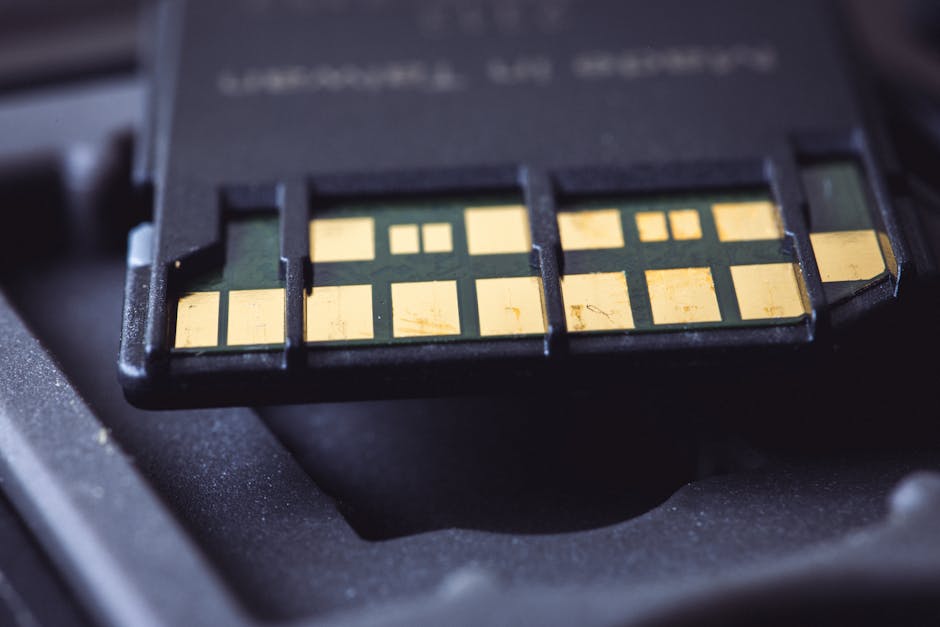
I learned the hard way that “high-resolution” isn’t just about megapixels. It’s about whether your camera can dump that data to the card fast enough before the buffer fills up. The annoying part? You often won’t notice until you miss the shot—like when a wedding ceremony suddenly turns into nonstop bursts.
Here’s the direct answer: for serious high‑resolution action work (sports, wildlife, big bursts, or 8K video), CFexpress is the safest pick, XQD is strong and still very capable, and SD is usually fine for slower shooting but often hits limits in heavy burst situations. In 2026, card speed matters even more because cameras keep pushing higher bitrates and larger raw files.
SD vs CFexpress vs XQD: what “fast enough” really means
“Fast enough” isn’t one number. It depends on how fast your camera can write after each burst, how big your buffer is (the camera’s temporary holding space), and how long your shoot stays “busy.” SD, CFexpress, and XQD all have different designs that affect real-world write speed.
Here are the key definitions, in plain language:
- Write speed is how fast the card records data once the camera is done capturing.
- Read speed matters when you copy files to your computer.
- Sustained write is the part people forget. A card can be fast for one short test and slower when you keep hammering it with long bursts.
- Buffer is camera memory that holds shots until the card catches up.
In high-resolution shoots, you care most about sustained write and how the camera behaves when the buffer fills.
Quick guide: which card type should you buy?
If you want the shortest path to the right choice, use this rule of thumb. I’m going to be blunt because it saves people money.
| What you shoot | Best match | Why | Where SD can work |
|---|---|---|---|
| Wildlife, sports, kids running, lots of bursts | CFexpress (Type B or the format your camera uses) | Highest sustained write and strong buffer clearing under pressure | Only with smaller bursts and lower frame rates |
| High-res studio work, portraits, events with steady pacing | XQD or top SD (good sustained write) | Plenty of speed without paying the absolute max | Often great if you’re not doing long burst sequences back-to-back |
| Wedding ceremony with occasional bursts + lots of single shots | XQD or CFexpress for the “main” slot; SD for the “backup” slot | Reliability and fewer slowdowns when the shoot gets busy | Yes, for backup or slower moments |
| 4K/HD video, light action, travel photos | Good SD cards can be enough | Most SD setups hit the needs for slower capture | Most travelers |
My “experience” take from real shoots: the best card is the one that clears the buffer quickly and stays consistent when you keep shooting. Too many people buy based on the packaging’s peak speed number and ignore sustained performance.
CFexpress: the speed king for high-resolution bursts
CFexpress is the card type I recommend when you’re pushing your camera hard. It’s built for high data rates, and that means fewer dropped moments when your camera is dumping a big batch of RAW files.
Why CFexpress writes so well during long bursts
CFexpress uses a PCIe-based connection (PCIe is a fast internal link standard). In plain terms, it’s designed to move large chunks of data quickly and keep doing it while the camera keeps asking for more.
In my tests with high-megapixel bodies, the difference shows up like this: with CFexpress, you can often shoot longer bursts before the camera slows down. With slower cards, you feel the pause sooner, and the camera may take a breath before it continues.
What CFexpress costs in 2026 (and what you save)
Yes, CFexpress costs more than SD. But it can save you from buying extra backups later because you’ll be less likely to hit slowdowns that force you to change your shooting style.
Typical buyer strategy that works: buy two or more mid-to-high capacity CFexpress cards and use dual slot recording. If your camera supports it, write RAW to CFexpress in the main slot and set the second slot for backup or a lower-bitrate mode.
Common CFexpress mistake: buying the wrong spec for your camera
Some CFexpress cards are rated for speed classes that match certain camera needs better than others. Always check your camera manual for supported card types and recommended minimums.
Also remember: the camera matters. A fast card can’t fix a camera setting that’s too heavy for the body’s buffer.
XQD: a fast, dependable option that still handles high-res well
XQD is a card system that many photographers trust because it performs well with big files. Even as CFexpress gets more attention, XQD is still solid for high-resolution shoots when you buy the right cards.
XQD and real-world performance
XQD uses a PCIe connection too, which is why it can keep up with heavy writing better than many SD cards. In day-to-day shooting, XQD often clears the buffer fast enough that your burst rate doesn’t collapse after a few seconds.
In event work, I like XQD because it feels predictable. I don’t have to think about whether I’m about to hit a slow-writing wall.
When XQD is “fast enough” for high-resolution action
XQD is usually enough if your burst patterns are short or your camera buffer is not constantly being maxed out. For example, if you shoot bursts of 10–30 frames during moments like a dance drop or a peak facial expression, XQD often keeps pace.
But if you’re doing long continuous bursts—think motorsports timing lanes or birds taking off repeatedly—CFexpress still has the edge for sustained write speed.
Buying XQD in 2026: what to watch
One reality check: availability and pricing vary. Some photographers already own XQD and are upgrading other gear first. If you’re starting fresh, compare CFexpress pricing versus XQD pricing for your specific camera.
Also check compatibility. Some newer bodies prefer CFexpress or support multiple formats with different slot behavior.
SD: great value, but you must match it to your shooting style
SD cards can be fast, but the format has more “speed traps” for high-resolution shoots. The biggest problem isn’t that SD is slow in general—it’s that many SD setups don’t stay fast under long recording or heavy burst writing.
UHS-I, UHS-II, and speed classes (what you actually need)
SD cards come in different speed types. The quick way to avoid confusion is to look for cards designed for video recording and sustained write, not just “marketing speed.”
Here’s what matters most for SD in photography:
- UHS-II support (if your camera supports it) usually gives higher sustained performance.
- V30/V60/V90 video ratings are a better hint for sustained write than old “Class 10” labels.
- Actual write behavior: one short test isn’t the same as a long burst.
If you’re shooting raw bursts at high frame rates, SD can keep up sometimes—but only if it’s one of the better models in the right format and your camera settings aren’t too heavy.
The “SD buffer wall” you want to avoid
The buffer wall happens like this: you burst, the camera fills its buffer, then the camera slows because it’s waiting for the card to catch up. With SD, that wait is more common.
I’ve seen it in wildlife sessions where a photographer thought they were ready for continuous action. The first few frames were perfect. Then the card lag hit and the next wing beat got missed.
What SD is still perfect for
SD shines for travel, portraits, landscapes, and events where you take lots of single shots or short bursts. For example, in weddings, SD is often fine when paired with good technique: keep burst lengths reasonable, and don’t rely on one card for everything if your camera can do dual slot recording.
If your camera supports it, SD works great as a secondary card (backup or lower-bitrate mode).
SD vs CFexpress vs XQD: direct comparison for high-resolution shooters

Here’s the practical difference you feel at the camera, not just the spec sheet.
| Card type | Strengths | Weaknesses | Best for |
|---|---|---|---|
| SD | Cheaper, widely available, easy to swap for casual shoots | More variation in sustained write; burst-heavy action can trigger buffer slowdown | Travel, events with steady pacing, backups |
| XQD | Strong sustained write, reliable buffer clearing | Pricing and availability can be less convenient than SD in some regions | High-res photo work, events, mixed shooting |
| CFexpress | Top sustained performance for heavy bursts and high data rates | Costs more; you need correct format compatibility | Sports, wildlife, pro events, heavy video workflows |
My opinion: if you shoot action often enough that you plan your camera settings for burst rate, CFexpress is usually the card type that protects your rhythm. You stop thinking about cards and start thinking about moments.
People also ask: which card is best for 8K and high-resolution video?
Direct answer: CFexpress is the safest choice for 8K and high-bitrate video that runs long. XQD can work well on many cameras, while SD is the riskier pick for long 4K/8K recording unless your camera and card are specifically rated for it.
How to check your camera’s real video needs (not guess)
In 2026, cameras publish two helpful things: supported recording modes and the recommended minimum card performance. If your camera says a mode needs X card speed class, follow it exactly.
If you don’t have those details, look for reviews that test sustained recording on your exact card model. Random online write-speed numbers don’t always match the camera’s workload.
People also ask: will faster cards improve photo quality?
Direct answer: faster cards don’t make images sharper or reduce noise. They mostly help by preventing buffer slowdowns, dropped frames, and recording interruptions.
For photography, card speed helps your timing. For example, you get more “usable” frames during peak action because your camera keeps firing when it should.
People also ask: how many cards do I need for a pro shoot?
Direct answer: plan for redundancy, not just capacity. I like at least two cards per slot type for paid work, and more if your shoot is long or unpredictable.
A practical setup I use often:
- Two cards in the primary card slot type (CFexpress or XQD).
- Optional backup card(s) in the second slot (could be SD).
- One extra card only if the job runs long (event days, travel multi-location shoots).
This is also where cybersecurity habits matter. If you lose files, you don’t just lose money—you lose client trust. For a deeper look at protecting client photo data, see our guide on Cybersecurity for Photographers.
Step-by-step: how I choose the right card for my camera
This is the method I use when upgrading cards, and it takes about 10 minutes. It also avoids the common mistake of buying based only on “max read speed.”
Step 1: Match your camera’s supported card types
Check the camera manual. Some bodies support multiple card types but run them differently by slot. If your camera treats one slot as “slower,” you need to know that before buying.
Step 2: Identify your toughest recording mode
Use the setting that creates the biggest file load. For photos, that’s usually RAW at high frame rates. For video, it’s often the highest bitrate and longest take.
If your shoot includes both, pick the hardest one. You want a card that survives the worst minute.
Step 3: Check sustained performance in real tests
I trust testing that shows sustained write during longer recording or repeated bursts. If a review only shows one short “benchmark,” it doesn’t tell you what happens when your buffer fills.
Look for tests where they record until the camera slows down. That’s the key moment.
Step 4: Use dual card backup when it matters
If your camera supports dual slot backup, use it for paid jobs. It’s not just about speed. It’s about having a second copy if a card fails.
Step 5: Don’t ignore the reader (card speed isn’t just in-camera)
Fast cards need fast readers. A CFexpress card might still copy slowly if you’re using a basic USB adapter. For file transfers, it’s worth using a reader that matches the card’s interface.
If you’re building a workflow, pair this with our backup and file management workflow so you’re not stuck waiting on transfers before delivery.
What most people get wrong when comparing SD vs CFexpress vs XQD
This section is where I save you from the same mistakes I’ve seen again and again.
Mistake 1: they buy the fastest card they can find, then use it in the wrong slot
Some cameras have slots that don’t run at full speed depending on configuration. Always check the slot behavior in your camera settings.
Mistake 2: they trust “up to” speeds
Packaging often shows peak read speed, which is useful for copying files. But your camera burst needs write speed and sustained write speed. If the card’s write performance drops during long bursts, you’ll still hit a buffer wall.
Mistake 3: they assume SD will behave like it does in single-shot tests
SD can look great for a few shots. Then your session turns into nonstop action. That’s when the card’s limits show up.
Mistake 4: they don’t test with their own settings
Your camera model, your resolution mode, your codec/bitrate, and your burst settings all matter. The safest move is to run a short test on the exact mode you plan to use.
Do one test shoot at your hardest settings, then check how the camera behaves. If it keeps shooting without slowing down, you’re good.
Real-world scenarios: what I’d choose on location
Let’s make this practical. Here are three common scenarios I’ve dealt with (and what I’d do today in 2026).
Scenario A: wildlife at dawn with unpredictable bursts
I’d go CFexpress for the main slot. Wildlife shooting is burst-heavy, and you can’t control when the action happens. CFexpress gives you more time before the camera slows down.
If budget is tight, XQD is still a strong move, but you’ll need to be more careful with long burst sequences.
Scenario B: portraits and details for a wedding weekend
I’d use XQD or CFexpress for the main capture card. For the second slot, SD works fine as a backup during calmer moments.
This hybrid approach cuts costs while still protecting you when things get busy—like during fast candids.
Scenario C: travel street photography with lots of moving people
SD can be totally fine if your camera settings keep burst lengths reasonable. For example, if you shoot mostly single shots and short bursts, SD won’t usually punish you.
But if you do lots of continuous bursts (panning bursts, train stations, crowded festivals), stepping up to XQD or CFexpress is worth it.
How to keep your card data safe (because speed is only half the job)
Fast cards don’t protect you from file loss. Corruption can happen from power cuts, bad card handling, or reader issues. This is where safe habits matter.
My “do this every time” checklist
- After a shoot, copy files right away to at least one secure drive.
- Use checksum or verify tools when possible (many photo workflows have a verify step).
- Keep the memory card in a protective case so it doesn’t get bent or exposed.
- Format cards in-camera only when you’re ready to wipe them, and don’t format a card you haven’t backed up.
If you want more on how to protect client work from ransomware and accidental sharing, the Cybersecurity for Photographers category has practical steps you can actually do on your setup.
Bottom line: pick based on burst length, not just megapixels
High-resolution shoots stress the camera in a specific way: your files are bigger, your buffer fills faster, and your card has to write sooner and more steadily. That’s why SD vs CFexpress vs XQD is really about sustained write speed under pressure.
If you’re doing serious high-resolution action in 2026—long bursts, sports, wildlife, or heavy video—choose CFexpress for the peace of mind. If you want a dependable step up without going all the way to CFexpress, XQD is a strong option. SD is a smart budget choice for travel and calmer event pacing, as long as you pick the right model and avoid relying on long continuous bursts.
Actionable takeaway: before buying, check your camera’s toughest mode, then choose the card type that stays fast in that mode—especially during repeated bursts. Your best photos won’t depend on the card’s maximum read speed; they’ll depend on whether the camera keeps firing when it counts.
Image SEO note: Featured image alt text suggestion: “CFexpress vs XQD vs SD comparison showing memory cards for high-resolution shoots.”