

Stop losing shots: protect camera gear and digital assets before the first photo is taken
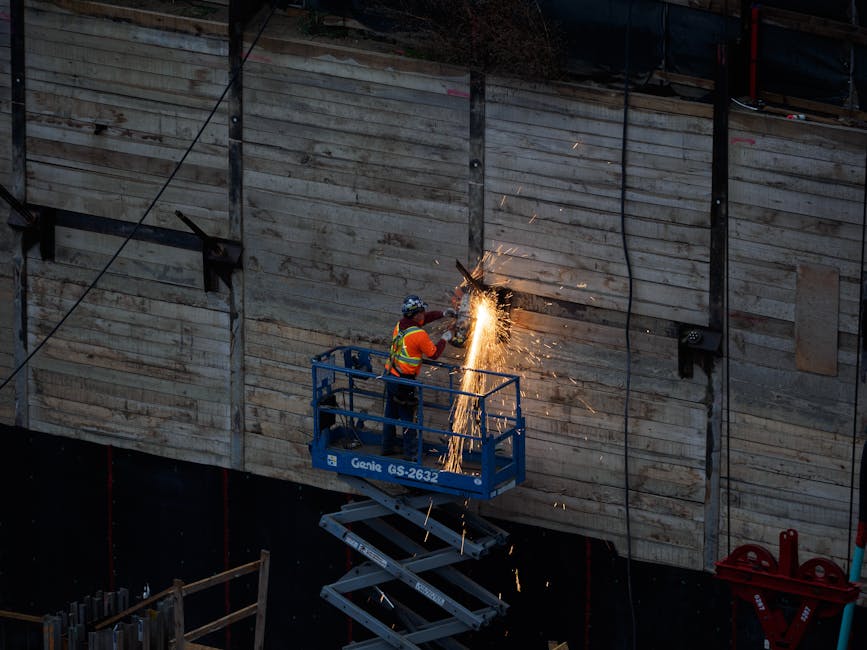
I learned this the hard way on a windy day at a construction site. We had great light for about 20 minutes, then power went out for a full hour—plus I realized one of my memory cards was formatted wrong after a fast on-site shuffle. The photos weren’t “gone,” but the recovery effort cost time and stress.
So here’s the direct answer for your next assignment: protect your camera gear with physical safeguards (covers, bags, straps, and weather control) and protect your digital assets with a backup system you can run in the field, even when you’re tired. That’s the core of How to Protect Your Camera Gear and Digital Assets During Construction Site Photo Assignments.
Digital photography is partly craft and partly risk management. Construction sites bring extra risks: dust, water spray, vibration, theft, and “oops” moments with storage. As of 2026, the best practice is simple: capture clean files, verify them, and back them up immediately, using at least two separate storage locations.
What makes construction site photo work uniquely risky (and what to do about it)
Construction sites are messy by design. You’ll see fine dust, sharp debris, heavy boots, changing weather, and loud equipment that makes people careless around tripods and bags.
Here are the real risks I plan for first, because they show up fast:
- Dust in lenses and camera ports: dust isn’t just ugly; it can scratch glass and mess up contacts.
- Water spray and sudden rain: even “light” rain can ruin exposed electronics and lens coatings if you rush.
- Power and battery drain: cold mornings and constant shooting kill batteries quicker than you expect.
- Theft and wandering gear: people watch the work, not your bag.
- File loss from shortcuts: quick card swaps without verifying files is how projects go sideways.
The counter-plan is mostly boring and repeatable. Use a checklist, keep gear sealed when you’re moving, and run a small backup routine right after each shooting block.
Protect your camera gear on site: dust, water, heat, and clumsy humans
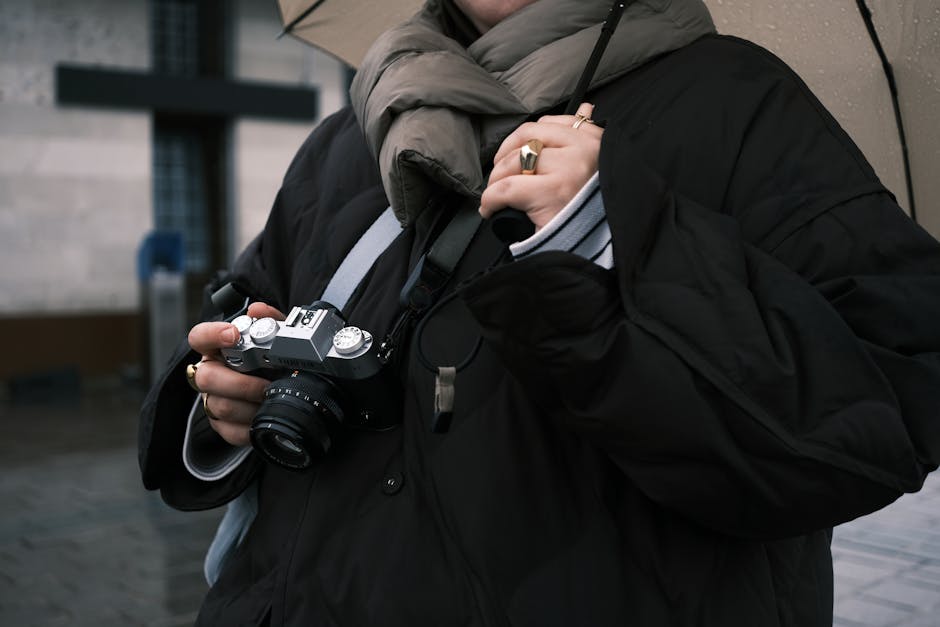
On a construction site, the best gear protection is “prevention plus speed.” If you wait until something goes wrong, you’re already behind.
Use weather control that doesn’t slow you down
I keep a cheap rain cover and a microfiber cloth that I actually use. A clear zip pouch for small gear helps too (filters, lens caps, batteries). When it starts to drizzle, I throw on the rain cover and keep shooting through it when safe.
For lenses, I prefer a routine: cap immediately when you’re not actively shooting and avoid setting lenses on the ground. If you must set something down, use your camera bag as a “landing zone.”
Keep dust out of camera ports and card slots
Dust gets into camera ports in seconds. Use a strap and keep the camera facing up while you walk between spots. When you open the card door, do it away from the thickest dust cloud.
Also, don’t blow on the camera. I’ve seen people do it, and it just spreads moisture and junk. Use a blower designed for cameras and keep it in a pocket where it’s dry.
Plan around vibration and impact
Tripods get bumped. Monopods get shoved. Stands get kicked. Even if you’re careful, site workers move fast.
My rule: anything on a stand goes in a “safe lane.” If you’re photographing heavy machinery, keep your tripod legs out of the path and angle them so a foot slip doesn’t hit the head.
Battery strategy: stop running your camera like it’s at home
Construction days are long and unpredictable. I charge before the shoot, but I also track battery health. A battery that’s “fine” at home can drop fast in wind and cold.
Practical setup I use:
- Bring at least 2–3 extra batteries for each main body (more if you shoot video).
- Keep spares in a padded compartment, not loose in a coat pocket.
- Use a real battery charger, not a weak USB cable, when possible.
- Turn off unused features (Wi‑Fi/Bluetooth) when you’re not using them.
Protect digital assets: build a field backup system you can trust
Physical protection is only half the job. Digital assets are what pay you. If those files get lost or corrupted, everything else is just expensive backup footage.
For How to Protect Your Camera Gear and Digital Assets During Construction Site Photo Assignments, the strongest move is to treat each shooting session like it needs two copies—then verify.
Use the “capture → verify → copy” routine (not just “capture → hope”)
Here’s the simplest workflow that works for most photographers. After a block of photos, you copy to a second drive and check that the count matches.
- Capture: shoot, then close the card door.
- Verify quickly: check folder names and file counts.
- Copy to a second location: not one drive only.
- Only then format cards: never format right after copying without checking.
This is “boring” for a reason. It prevents the two most common failure points: copying to the wrong folder and corrupt files that copy silently.
What I use for on-site backups (example setup)
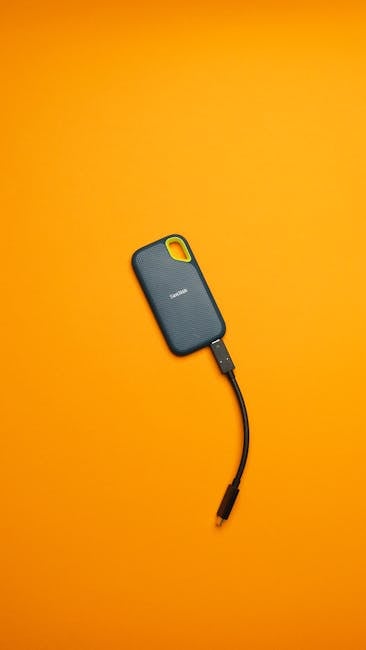
My go-to setup for 2026 builds around redundancy and speed. I carry a rugged SSD (fast, light) plus a larger portable drive for the second copy. If you want a smaller setup, a dual-slot card reader can help, but drives are usually safer long-term.
On a typical assignment, I’ll do this:
- Primary copy: rugged SSD in my bag.
- Secondary copy: portable HDD or larger SSD stored separately in a different pocket.
- Card management: cards stay in a labeled case until I’m done for the day.
What most people get wrong: they put everything in one bag. If the bag gets stolen, both copies are gone.
File organization: keep it simple so you can recover fast
When time is tight, messy folders make recovery harder. I use a plain structure:
- Client_Project_Date
- Within that: CameraA, CameraB (if needed), then Card01, Card02
If you shoot video, add Video and the audio device name. When editors call you later, you’ll thank yourself.
Cybersecurity basics for photographers with client jobs
Digital asset protection isn’t only about backups. It’s also about keeping client files safe from bad logins, lost laptops, and accidental sharing links.
Define your risk first. If you shoot and then upload to a client portal, your biggest risks are stolen accounts and links that anyone can open. Current best practice as of 2026 is: strong passwords, 2-factor authentication, and clear upload permissions.
Cybersecurity on construction sites: secure your phone, laptop, and uploads
Construction workers use radios and phones, and contractors move in and out. Your gear can be safe physically and still be unsafe digitally if your device is open to the wrong apps or weak passwords.
Lock down your editing device before you leave home
I set up my laptop like this every job:
- Full-disk encryption: so if it’s lost, the files aren’t readable.
- Screen lock: 1–3 minutes idle max.
- Auto-connect Wi‑Fi off: to prevent joining random networks.
- Separate user account: one for editing, one admin password protected.
Encryption is just a way to scramble files so they can’t be read without the right key. It’s a must for client work.
Use “safe sharing” for client previews
If you send preview galleries, don’t share the full folder publicly. Make links expire and use password protection when the client allows it.
Also, keep a log of what you uploaded and when. If a client says “I didn’t get it,” you can prove your timeline fast.
Phishing and fake download links (a real-world trap)
One client emailed a “download your files” link that looked legit but wasn’t. In reality it was a scam page trying to steal login info. Construction projects often involve many vendors, so fake requests can spread fast.
My rule: never open a link from an email you weren’t expecting. If a request seems urgent, check with the client on a call or through a known company contact method.
People also ask: common questions photographers have during construction shoots
How do I protect my memory cards from corruption on a job site?
Format only after you copy and verify. Keep cards in a hard case and avoid removing them while the camera is writing. If you’re using a card reader, use a reliable cable and don’t yank it out mid-transfer.
If you see repeated copy errors or strange file names, stop. Don’t keep trying to “make it work.” That’s how you turn a recoverable issue into a bigger one.
Should I use cloud storage during a construction photo assignment?
I like cloud for convenience, but not as your only backup. Site Wi‑Fi can be weak or unreliable, and cellular connections can be expensive. The best approach is: local backups first (two copies), then upload when you have stable internet.
If you do upload on site, use secure apps, strong logins, and turn on 2-factor authentication. Also, avoid uploading while connected to random public networks.
What’s the best way to prevent theft of camera gear at a construction site?
Keep gear close, not “parked.” A strap across your body is better than carrying loose items. Don’t leave the tripod unattended, even for a minute, and set up so your bag is in your sight line.
If you’re moving between areas, pack up fully. On jobs, the temptation is to leave “just the lens cap and camera bag.” That’s exactly when it walks away.
How often should I back up files during a long construction day?
Every major shooting block. If you shoot for two hours, copy after each block, not just at the end of the day. If your job includes multiple locations, do a backup at each location with stable power (car, van, or safe indoor space).
For multi-day projects, keep separate drives for each day. Mixing files from different days makes recovery harder if something goes wrong.
Gear protection vs. data protection: the trade-off most photographers underestimate
Physical gear safety is easy to see. Data safety is harder because files look “fine” until later. I used to focus mostly on bags and rain covers, then got surprised by corrupted card copies.
So I changed my system. Now I focus on protecting data first during transfer moments, because that’s where errors happen.
| Risk | Physical gear fix | Digital asset fix | Best time to act |
|---|---|---|---|
| Dust | Cap lenses, keep bag sealed, use blower | Verify transfers before formatting | During setup + transfers |
| Water | Rain cover, protected lens handling | Don’t transfer in the rain; wait safely | During bad weather |
| Theft | Strap, keep in sight, don’t leave tripod | Two locations, one in separate pocket | Throughout the shoot |
| Corrupt files | Less impact/rough handling | Copy + check file counts | Immediately after each block |
Build a simple checklist for construction day success
A checklist is not extra work. It saves time when you’re rushing. I keep mine on my phone and reuse it every job.
Pre-shoot checklist (10 minutes at home)
- Charged batteries + 2–3 spares
- Memory cards in labeled cases
- Rugged SSD + second drive for backup
- Card reader + tested cables
- Rain cover, blower, microfiber cloth
- Laptop encryption enabled + screen lock set
On-site checklist (repeat after each block)
- Copy to primary drive
- Check folder names + file counts
- Copy to secondary drive in a separate place in your bag
- Only then format the card
- Back up notes: what you shot, where, and client needs
Connect your workflow to the reality of construction projects
Construction schedules change fast. One minute you’re photographing ground work, and the next minute they move you to a different area for a crane setup. That’s why your file workflow needs to be quick and consistent, not complicated.
When clients work with heavy equipment, the photography often happens around moving schedules and site constraints. If your day includes equipment and earthmoving work, it helps to understand how operations get coordinated and what “busy” looks like. For example, if you’re doing documentation for an earthmoving team, it’s worth exploring local operators like bobcatnuoma.eu, since it shows the kind of projects and job-site work that often shape where and when you can safely shoot.
That context changes your planning: you may need longer setup times, more protected storage, and faster backups because you won’t get another calm moment later.
Bottom line: protect your camera gear and digital assets with two-copy backups and a locked-down transfer routine
Construction sites test both your attention and your gear. The winning system is simple: protect the camera physically (dust and weather control, straps, and safe landing zones) and protect your files with a capture → verify → copy workflow.
Your actionable takeaway is this: after each shooting block, copy to two separate drives and check file counts before formatting cards. Do that every time, and you’ll avoid the biggest heartbreaks I’ve seen in the field—corrupted cards, one-drive-only backups, and “we thought it saved” moments. If you build that habit, you’re not just taking photos; you’re delivering client-ready proof you can stand behind.
If you want more related safety habits, you can also pair this with other parts of our site’s guidance on Cybersecurity for Photographers and our practical gear notes in Gear Reviews so your workflow covers both the camera and the account.