

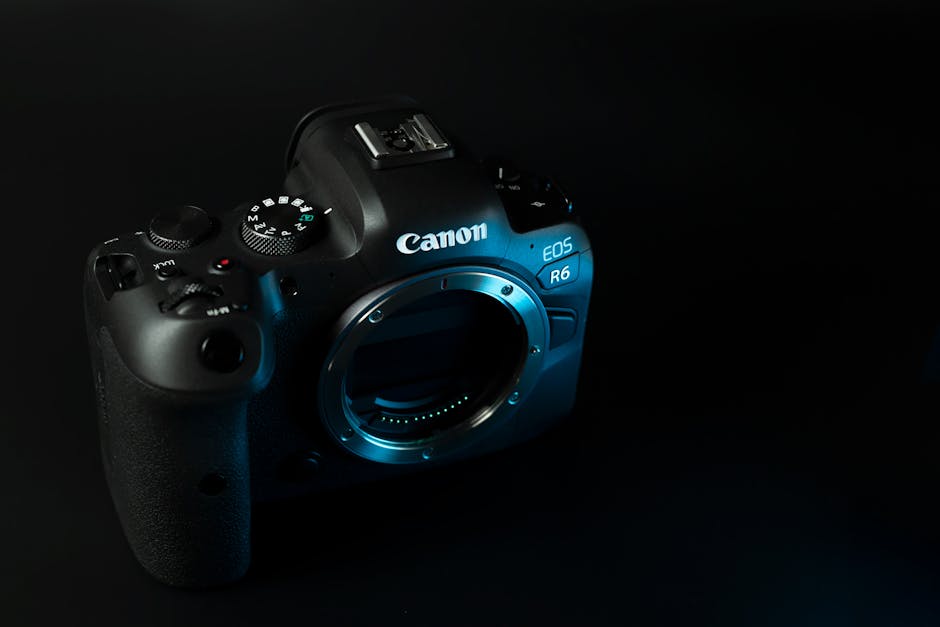
Quick answer: the 2026 digital imaging news trend that matters most
In 2026, the biggest shift in the latest digital imaging news isn’t just “new cameras.” It’s faster, more reliable capture plus smarter in-camera help—built for real life, not studio lab tests. If you shoot events, travel, or portraits, you’ll feel this in fewer missed shots and cleaner files right out of the camera.
That said, the best tech in 2026 still needs good habits. I’ll show you exactly what to change in your settings, your backup plan, and your workflow so you get the benefits without the headaches.
Sensor tech in 2026: what’s actually changing (and what isn’t)
Sensor updates in 2026 focus on better low light and more stable color, not just bigger numbers on the box. When I test cameras side-by-side, the improvements you notice are usually in noise pattern (how grain looks) and highlight behavior (how bright areas roll off).
Here’s the plain-English breakdown.
1) Better readout speeds for moving subjects
Newer sensors and processors read data faster, which helps with moving people, panning shots, and quick bursts. Translation: you get fewer weird distortions and fewer “why did that face look warped?” moments.
If you shoot kids, sports, or street photography, look for cameras that clearly state their readout performance and how they handle rolling shutter. Most spec sheets hide this, so I cross-check with real-world reviews and video tests from photographers who actually track motion.
2) Higher dynamic range is useful, but only if you expose right
Dynamic range (the range from dark to bright) is improving, but it doesn’t remove the need for exposure. In 2026, what improves is how gracefully a camera recovers highlights when you’re close to the limit.
In my own workflow, I still use histogram checks and I still bracket when the scene is tricky—like bright skies behind dark hair at golden hour. The trick isn’t “set and forget.” The trick is knowing when to trust the camera and when to protect yourself with a second shot.
3) Color and skin tone: the quiet win
Some of the best progress is in color science and noise reduction that doesn’t smear skin. This matters more for portraits than for landscapes because people notice faces fast.
If you’re a portrait shooter, test the camera in the lighting you actually use: mixed indoor light, window light, and LED stage lights. Then compare skin tones before you judge “noise” on a chart.
AI in-camera processing: helpful, but be picky about what you turn on
AI features in 2026 imaging are getting better at two things: cleaning files and making keepable compositions. The problem is that many photographers turn everything on and then wonder why the final image looks “off.”
AI in-camera is a lot like adding a smart filter to every photo. Filters are fine—until you need control.
Which AI features matter for real photography
Based on what I see in 2026 cameras and on shoots with clients, these are the options that actually change results:
- Smart subject detection (faces/eyes/animals): helps focus and tracking stay locked.
- AI noise reduction: can reduce grain, but sometimes makes textures look waxy.
- AI highlight recovery: helps with bright skies and backlit scenes.
- AI blur correction (if available): can improve sharpness, but won’t fix everything.
My rule: enable subject detection. Be careful with “beauty” or heavy smoothing. If your style depends on real texture—beards, pores, fabric weave—use lighter settings or do cleanup in post where you can steer it.
What most people get wrong about AI processing
The biggest mistake I see is treating in-camera AI as a replacement for learning exposure and focus. AI can reduce damage, but it can’t resurrect a badly exposed shot into a perfect one.
Another common mistake: never doing test shots. You don’t need a big test chart. Just shoot 20 frames of a person in your normal light, with the settings you plan to use. Then zoom in on eyes and hair edges.
Lens and optics trends in 2026: sharper edges, smarter stabilization, better coatings
In the latest digital imaging news, lenses are still the “make or break” part of image quality. In 2026, the big wins are coatings that improve contrast and stabilization systems that feel less like a gamble.
You’ll also see more lens options built for both photo and video, because most creators want one setup.
Stabilization is getting more consistent across focal lengths
Newer in-lens and in-body stabilization systems work together better. That means you can pan smoothly, shoot handheld at slower shutter speeds, and get less “micro jitter” in video.
But don’t copy TikTok rules like “shoot at 1 divided by 2x focal length” forever. In real life, shutter speed depends on your movement, your grip, and how fast the subject moves.
Coatings that reduce flare for backlit scenes
Many 2026 optics use updated multi-layer coatings to cut flare and ghosting. That’s a big deal for wedding photos with fairy lights, street scenes with headlights, and sunrise portraits.
In backlight, I always check contrast by shooting one image with the sun in frame and one with it just out of frame. If the camera/lens combo handles flare well, the out-of-frame version still looks punchy.
“Sharp enough” depends on how you deliver
People forget that image sharpness is not one number. It depends on output size, viewing distance, and compression. A web-optimized gallery doesn’t show the same artifacts as a large canvas print.
If you mostly post online, you don’t need to chase the most expensive lens. If you print big, you do.
File formats, workflow, and storage: the practical side of 2026 imaging tech
The trend I care about most in 2026 isn’t the camera body. It’s the workflow around it—because that’s where time and money vanish.
In 2026, many cameras ship with more advanced raw options and faster write speeds, so file sizes can jump. That’s great for quality, but your storage plan needs to keep up.
What I recommend for storage in 2026 (simple and safe)
Here’s a setup that works for event photographers and travel shooters. It’s not fancy, just solid.
- During the shoot: cards to a dual-slot workflow if your camera has it. If not, copy to two drives immediately after you finish a set.
- Same day: copy to a desktop SSD or a fast external SSD, then do a full verify check.
- Next step: send one copy to a separate drive stored off-site (home office + a safe bag in your car, or a cloud backup for smaller jobs).
I’ve learned the hard way that “it copied” isn’t the same thing as “it copied correctly.” Verify checks save you from the “all my edits are on a corrupt file” nightmare.
In-camera metadata and editing consistency
2026 cameras are better at tracking settings and keeping metadata. That helps with batch editing and consistent color.
Still, don’t assume every editing app reads every new feature the same way. If you use Adobe Lightroom Classic, Capture One, or another tool, test a small folder first. You’re looking for correct raw decoding and consistent highlight handling.
Cybersecurity for photographers in 2026: the threat isn’t just hackers

Cybersecurity matters because your images are your livelihood, and your clients trust you with private moments. In 2026, the risks don’t only come from big “hack news.” They come from weak logins, lost drives, and sloppy sharing links.
If you want a broader guide, check out our post on cybersecurity for photographers: how to secure client galleries.
What’s different in 2026: faster sharing, more risky links
More photographers use online galleries, automatic sync, and quick download links. That saves time, but it also increases the number of places your files exist.
My rule is simple: if a file is private, it shouldn’t be public by accident. Use link passwords, set expiration dates, and don’t reuse the same password across services.
Simple checklist I use before sending client galleries
- Turn on expiring links (24–72 hours is fine for most proofs).
- Use a unique password per client gallery.
- Double-check permissions: view-only for clients, no “download disabled” unless the client truly needs it.
- Keep your master archive offline or locked down.
This is less about paranoia and more about reducing mistakes. People click the wrong thing when they’re tired.
People Also Ask: Digital imaging news questions photographers ask in 2026
What camera should I buy in 2026 for general photography?
If you want one camera for a mix of portraits, travel, and events, buy based on autofocus reliability and lens options—not just megapixels. In 2026, the “best” camera is the one that nails focus on faces and stays usable in your lighting.
My buying test takes 10 minutes: set your camera to single-point eye detect, shoot a moving subject, then check the eye sharpness on the back screen. If you can’t keep eyes sharp, don’t waste money on extra pixels.
Are 2026 cameras better for low light?
Yes, but the improvement shows up mostly in how noise looks and how highlights survive, not in some magical “no-light” power. A camera can reduce noise, but you still need shutter speed and stabilization to avoid blur.
If low light is your main goal, prioritize lenses with wide apertures and learn how to set exposure without blowing skin highlights.
Do I need AI features turned on?
Turn on subject tracking and eye detection. For heavy AI cleanup, be selective. If you shoot textured subjects—street scenes, hair, fabric, documentary style—use gentler settings or plan to do the final look in post.
A good approach is to shoot one day with AI off, one day with it on, then compare at 100% zoom. Don’t compare at thumbnail size. That’s how you fool yourself.
Will mirrorless still be the standard in 2026?
For most photographers, yes. Mirrorless is the standard because it’s lighter, faster to use, and it has strong lens lineups. The only real exception is if you already have an ecosystem that fits your needs and you don’t want to switch.
If you’re buying new, mirrorless makes the most sense for most people, especially if you also shoot video.
How can I keep my photos from getting lost when storage fails?
Use at least two backups and verify the copies. Storage drives fail. Cameras sometimes corrupt files. The only way to protect your work is to keep more than one copy in different places.
For photographers, I strongly recommend the 3-2-1 rule: 3 copies of your files, on 2 different types of storage, with 1 copy off-site.
What to do this week: a 30-minute “2026 imaging readiness” plan
If you want to make the latest digital imaging news actually help your results, do this small plan now. It will save you time and frustration later.
Step 1: test your autofocus and eye tracking
Take 30–50 shots of a person moving slowly (even a walk down a hallway works). Use your normal aperture, then check eye sharpness on at least 10 frames.
If eyes aren’t consistent, you need to adjust focus settings. Don’t blame the camera until you’ve checked your tracking mode and minimum shutter speed.
Step 2: set your in-camera noise and sharpening approach
Do one test set with default noise reduction, and one with reduced smoothing. Export a small set and compare 1:1 crop on skin and hair edges.
Once you find the look you like, write down the settings. Many people keep changing them and then wonder why photos look inconsistent.
Step 3: update your backup routine
Practice your “end of shoot” routine once with a folder from yesterday. Time it. If your process takes 2 hours, you’ll skip steps on busy days.
Then fix the bottleneck—usually it’s slow copying, missing verify checks, or too many manual steps.
Comparison snapshot: what to prioritize in 2026 (quick table)
Here’s how I guide readers when they’re deciding what to buy or change. Use this as a filter before you chase the newest spec.
| What you care about | Prioritize | What people often overvalue |
|---|---|---|
| Events and fast action | Reliable autofocus tracking + fast burst + lens range | Megapixels only |
| Low light portraits | Lenses with wide apertures + highlight behavior + stabilization | “ISO max” numbers |
| Travel photos | Weight + battery life + good stabilization + flexible lens | Top-end video specs you won’t use |
| Prints and detail | Sharp lens performance + consistent color pipeline | AI smoothing settings |
Gear review angle: how I test cameras for “real-world tech trends”
I still think the only honest way to judge the latest digital imaging news is to test what it does under pressure. Specs don’t show stress. Weddings, kids’ parties, and dim restaurants do.
When I review gear, I focus on:
- Autofocus accuracy on eyes and faces in mixed light.
- How files look after basic edits (not after heavy magic).
- Whether the camera makes you faster or just makes files larger.
- Battery life after long bursts and lots of review time.
If you want to compare how this lines up with the gear we cover, take a look at our gear reviews on the best travel lenses for 2026. It’s written for people who actually leave the house with one bag.
My bottom line on 2026 imaging tech trends
Here’s my opinion, based on what I’m seeing in 2026: the best camera tech is the kind that quietly reduces mistakes. Better tracking, steadier stabilization, and smarter processing help you get more keepers when the scene is messy.
But your results still depend on a simple routine: check exposure, test your settings, back up correctly, and stay careful with AI cleanup. Do that, and the latest digital imaging news won’t just be interesting—it’ll directly improve your work.
Actionable takeaway: pick one improvement you can feel—autofocus test, in-camera AI settings test, or a backup routine update—and do it this week. That’s how 2026 trends turn into better photos, not just new gear talk.
Featured image alt text suggestion: “Photographer reviewing 2026 digital imaging news camera settings on a laptop with raw files.”