

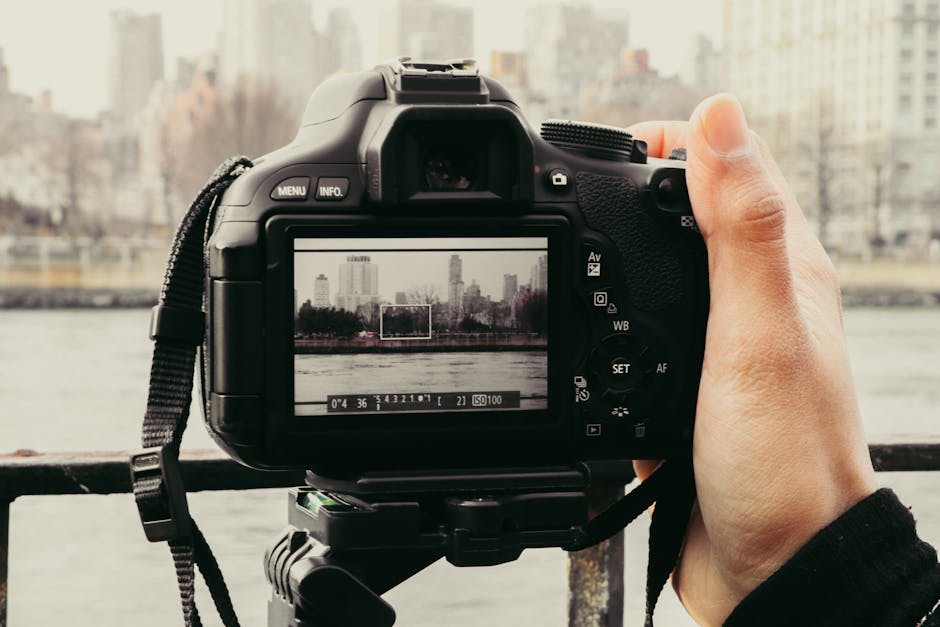
You know that feeling when your camera files don’t look the way they do in the camera screen? For me, that happens most when I jump between RAW workflows, use computational modes (like multi-frame HDR), or test new firmware on a body I rely on for paid jobs.
This Digital Imaging News Roundup is a practical look at what’s changing in 2026 across RAW formats, computational photography, and camera firmware. You’ll get clear takeaways, what to watch for, and what I do to keep my edits consistent when the ground shifts under my feet.
Key takeaway: RAW formats and camera firmware changes now affect color, metadata, and editing consistency—not just “image quality.”
RAW is not one single thing. It’s a family of formats, made by each camera brand, with different options for compression, bit depth, embedded previews, and metadata. When firmware updates change how the camera writes those files, your normal editing steps can suddenly give you different results.
Computational photography adds another layer. Many “RAW” modes still depend on multi-frame capture and in-camera processing, even if you end up editing a file later on your computer.
So the real question isn’t “Is RAW better?” It’s “Which RAW workflow matches what the camera is doing right now, in 2026?”
RAW Formats: what’s new in 2026 (and what you should check before you upgrade)
Here’s the simple truth: modern RAW updates usually come as a mix of better compression, new preview options, and tweaks to how embedded metadata is saved. Those changes can be good, but they can also break your usual color pipeline.
In 2026, camera makers keep pushing smaller files and smoother previews for faster preview-to-edit workflows. You’ll see upgrades like improved lossless compression, different tone mapping baked into previews, and more careful handling of white balance and lens correction tags.
RAW vs “camera preview” vs what your editor uses
Most editors don’t fully ignore the preview. They read RAW data for the real image, but embedded previews and metadata still affect what you see first and how your software guesses settings. This is one reason your file can look great in-camera and a bit flat in Lightroom, Capture One, or darkroom-style software until you reset the pipeline.
Definition: RAW is the camera sensor data recorded with minimal in-camera processing. It’s still not “ready to view” the way a JPEG is, because your software turns it into something you can see.
In practice, you want consistency. That means you need to know if your camera is changing:
- Compression type (lossless vs lossy)
- Embedded preview style (the small JPEG preview inside the RAW)
- White balance tags and tint
- Lens profile tags and distortion correction
- Highlight handling rules (how clipped areas are tagged or recovered)
Common “what most people get wrong” about RAW updates
I see this a lot during photo workshops: people update firmware, switch to a new RAW workflow, and then blame their computer monitor when the edits look off. Nine times out of ten, it’s one of these:
- Your editing software needs an updated camera profile (not just the latest app version, but also the right lens/metadata support).
- You changed a setting like “auto white balance” or “exposure smoothing” after the update.
- You’re comparing different modes (for example, standard RAW vs RAW + computational mode).
My rule now: after any firmware update, I shoot one control scene and process it the same way as before.
Computational Photography: why more cameras write smarter “RAW” and more complicated files

Computational photography is a fancy name for a simple idea: the camera uses math to combine sensor data across frames. That math can boost detail, reduce noise, improve dynamic range, or stabilize handheld shots.
In 2026, more manufacturers push computational modes that are tied to how RAW is captured and stored. Some modes save a “true RAW” look, but other modes add extra steps.
Multi-frame capture and the “RAW file is not the whole story” issue
When a camera uses multiple frames, it’s not just one exposure feeding your RAW file. The camera may align frames, pull noise from a stack, and decide what to keep for highlights and shadows.
That’s why the RAW file can behave differently between:
- Single-shot RAW mode
- Handheld low-light “RAW” modes
- HDR-style modes that still output a RAW-like file
- In-camera stabilization modes
Real-world example: last winter I tested handheld night photos for a friend’s studio product shoot. The “RAW” mode looked amazing on-camera, but in post I had to change my noise settings because the camera had already done some denoising math before export.
What to watch when using computational modes with RAW workflows
If your work depends on exact repeatable editing (product color, event skin tones, catalog shots), you need to treat computational photography like a new “camera mode,” not like a tiny tweak.
Here’s my checklist:
- Keep the same lens and distance. Computational modes can change how the camera treats edge detail.
- Use the same white balance setting. Auto can swing between frames in multi-shot modes.
- Turn off “AI subject” tracking for tests. It can change exposure and highlight decisions.
- Export a test pack. Export 10 images with the same settings and compare noise, skin tone, and highlight roll-off.
If you don’t do that, you’ll end up doing “guess edits” and spending an extra hour per session. That adds up fast.
Camera Firmware: the changes that matter for photographers (focus, noise, and metadata)
Firmware updates are not all equal. Some are “behind the scenes” and barely affect your photos. Others change autofocus behavior, image processing, or file writing details that your editor uses.
In 2026, you’ll still see firmware focusing on these areas:
- Autofocus tracking in low light or with fast movement
- In-camera noise reduction rules
- New subject detection or better face/eye behavior
- RAW writing and metadata tagging tweaks
- Improved support for new lenses and teleconverters
Firmware update that quietly breaks your workflow: file writing differences
This is the one that surprises people. You update firmware, your camera still looks fine, but your RAWs open differently in your software. Sometimes the issue is subtle: the histogram sits differently, or your shadows lift more than before.
What’s happening is usually one of these:
- The camera changes embedded preview tone mapping.
- Metadata tags (like white balance or lens corrections) change format.
- The RAW compression setting changes, and your editor’s demosaic pipeline reads it differently.
I’ve seen this with both event shooters and landscape photographers. The fix wasn’t “buy a new camera app.” It was updating the RAW processor and resetting my base preset after a controlled test.
How I decide whether to update firmware (simple, fast method)
I don’t update right before a paid shoot. That’s my first rule. The second rule is a quick test plan I can repeat in under 30 minutes.
Do this:
- Check what the firmware notes say about RAW, image quality, or autofocus.
- Charge the battery fully and format only if the update instructions require it.
- Shoot a 3-scene test (daylight color card scene, mixed light indoor scene, and a moving subject if possible).
- Process using the same presets and lens corrections as before.
- Compare exported JPEGs at 100% and check skin tone and shadow noise.
If nothing meaningfully changes, I update on schedule for the next shoot. If it does, I delay and keep the older version until software catches up.
People Also Ask: RAW formats, computational photography, and firmware questions
What RAW format should I choose for the best quality in 2026?
Choose the RAW option that matches your workflow goal. If you want the highest editing flexibility and you don’t care about larger files, pick the least compressed lossless RAW. If you need faster card writes and long shoots, compressed RAW is fine—as long as your editing software supports it well.
The key is consistency across a whole shoot. Don’t mix RAW compression options inside the same job unless your editor and presets handle the differences cleanly.
If you want an extra layer of control, you can standardize on a single RAW mode and build your preset around it. I keep presets tied to the specific camera model and RAW mode because it’s the only way to avoid “preset drift.”
Does computational photography ruin RAW photo editing?
No, computational photography doesn’t automatically ruin RAW editing. It changes the data you’re editing. Multi-frame modes often pre-denoise or adjust highlight handling before the final file is saved.
If you edit those files with a preset made for single-shot RAW, you may over-correct. The fix is simple: create one preset for single-shot RAW and one preset for computational modes.
I’ve found that the easiest giveaway is highlight roll-off. If highlights feel softer or less crunchy than your usual RAWs, you’re dealing with computational pre-processing.
Should I update camera firmware immediately in 2026?
Update immediately only if the firmware notes directly match your work and the update is stable. If you rely on the camera for a client job, wait for two things: updated RAW support in your editing software and enough user reports to confirm there are no file-writing quirks.
My practical stance: update during a low-pressure week. Then test and save your old presets and export settings so you can roll forward confidently.
Why does my RAW file look different after editing software updates?
RAW processors change how they interpret sensor data, especially with new camera models and new RAW file rules. Even if the app version looks “minor,” the camera decoding step can change.
When this happens, don’t panic. Re-apply your base adjustments in a controlled test scene and update your preset. This is exactly why I keep a “calibration day” shot pack for each camera.
Side-by-side comparison: RAW workflows that play nice with computational modes
Here’s a quick comparison table based on real editing behavior I’ve seen while testing different camera setups and RAW processors. Your results depend on the exact model and software version, but these patterns show up often.
| Workflow | Best for | What to expect | Main risk |
|---|---|---|---|
| Lossless RAW (single-shot) | Fine art, skin tones, product work | More file size, stable editing | Slower writing on smaller cards |
| Compressed RAW (single-shot) | Events, travel, long sessions | Close quality with smaller files | Occasional decoding differences by editor version |
| Computational “RAW-like” modes | Handheld low light, tricky motion | Better low-light results and smoother noise | Presets built for single-shot RAW can overdo edits |
| RAW + in-camera HDR/tonemapping preview focus | Quick turnaround jobs | Preview looks great fast | Preview vs RAW decode mismatch |
If you only remember one thing: don’t treat computational RAW modes as if they’re identical to normal single-shot RAW files.
Security and file safety: why RAW + firmware changes increase the value of good backups
I write about imaging news, gear reviews, and also cybersecurity for photographers because the “file integrity” problem isn’t just technical—it’s also human. RAW files are valuable. If you lose them, you lose the best version of your work.
Firmware updates and bigger file sizes can increase your storage load. That means more chances to hit full drives or to rush backups during a deadline.
Two fast habits that save clients and photographers:
- Use a two-step backup (one primary drive, one backup drive). I like the idea of “copy, then verify.”
- Keep a small set of test files from every shoot folder. If you can open them after the transfer, your pipeline is probably fine.
If you want more practical steps, see my related guide on ransomware prevention for photographers. That article is focused on keeping shoots safe even when things go wrong fast.
Action plan: how to prep your workflow for RAW + computational changes (before your next shoot)
Use this plan like a checklist. It takes about an hour the first time and about 15 minutes after you set it up.
Step 1: Lock your editing settings to a specific camera + mode
I keep separate base presets for:
- Single-shot RAW
- Computational multi-frame RAW modes
- Any special HDR-like modes
Even if the camera uses “RAW,” treat the mode like a separate input. That stops most post-processing surprises.
Step 2: Update your RAW editor support at the same time (not later)
When your camera firmware changes RAW writing, your editor needs updated support too. If you update the camera and keep an older editor version, you’re basically asking the software to guess.
In 2026, most major editors update often, so timing matters. If you’re in a rush, at least test one file before you start a job workflow.
Step 3: Build a “test scene” you reuse
My test scene is boring on purpose: a color card in daylight, a skin-tone subject under mixed light, and a background with both bright and dark areas. I also include one moving thing when I can.
This matters because computational photography behaves differently under motion. If you only test with a tripod scene, you miss the real problem.
Step 4: Keep notes like a pilot
When I update firmware, I write down:
- Firmware version number
- Date updated
- RAW mode used
- Any editor version changes
- What I changed in my preset (if anything)
That small note saves you later. Trust me.
Gear tips that match these news changes (so your tools don’t fight you)
Even though this is an imaging news roundup, the gear side is still important. RAW workflows are only as good as your storage speed, your card capacity, and your monitor calibration.
If you want to tighten your setup for stable editing, you might also like my review-focused post on SSDs that actually help photo editing workflows. It’s written for real shooting schedules, not lab cases.
Card speed and buffering: the unsexy part that affects RAW/computational modes
Computational modes often require more processing and faster card writing. If you use a slower card, you don’t just get fewer frames—you can get inconsistent capture behavior.
I’ve seen this show up as longer pauses between shots when shooting handheld low-light sequences. The fix is matching your card to the workload, not just the camera spec.
Monitor and preview accuracy: stop trusting only the first preview
Embedded previews can look amazing even when the final RAW decode differs slightly. If you only judge from quick previews, you can miss problems like clipped highlights or too much noise reduction.
My approach: zoom in to 100% for shadows and edges, then check highlight areas on at least one reference image before a full batch export.
Where this is heading (my opinion, based on what’s happening in 2026)
Here’s my take: the next big shift won’t be “better RAW.” It will be better RAW editing interoperability—meaning RAW files carry more consistent metadata and editors decode them in more similar ways.
We’re also heading toward modes that treat “RAW” as a flexible container. In other words, cameras will keep blending computational steps with sensor capture, but the industry needs clearer labeling so photographers know what they’re dealing with.
As a working photographer, I don’t need every new feature. I need predictable results. That’s why I’m pushing my workflow toward test scenes, mode-based presets, and editor updates that match the camera version.
Conclusion: your best next step is a controlled test after firmware or RAW changes
If you take one action from this Digital Imaging News Roundup, make it this: don’t trust assumptions when RAW formats, computational modes, or firmware change. Run a quick test, compare exports, and update your presets based on what your camera actually wrote in 2026.
In plain terms: shoot a small pack, edit it the same way, and only then change your full workflow. That single habit keeps your colors steady, your highlights predictable, and your client delivery on time.
If you’re also working on security and backup routines, pair this with good file safety practices so your best RAW files don’t become a disaster later. Your camera will evolve. Your process should too.