

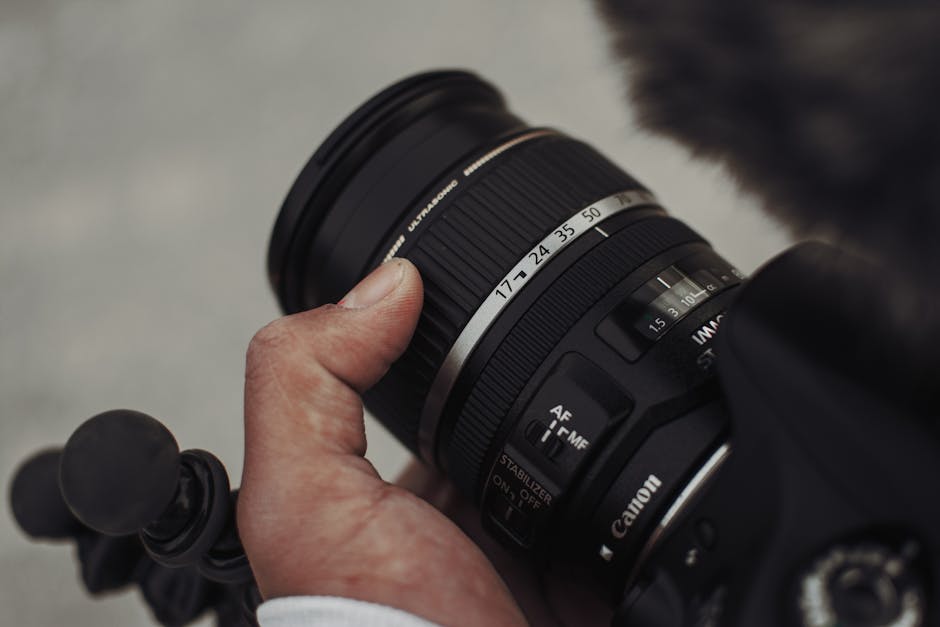
Here’s a scene I’ve seen over and over (and I used to believe part of it too): you pick a “safe” aperture like f/8, turn on stabilization, lock focus, shoot a test photo… and it’s still soft. That’s when you realize the problem usually isn’t your camera. It’s the myths you followed.
Lens sharpness comes from a chain of small choices: the right aperture for your specific lens, the correct stabilization mindset, and focusing techniques that match the subject. In 2026, cameras are better than ever, but the habits that ruin sharpness are still the same.
In this guide, I’ll debunk the biggest lens sharpness myths—especially the ones about aperture, stabilization, and focusing—and give you practical steps you can use on your next shoot.
Lens sharpness myth #1: “Sharpest is always f/8”
The key takeaway: f/8 isn’t a universal “sharpness sweet spot.” The best aperture depends on your lens design and your subject distance.
“Go to f/8 for maximum sharpness” is the kind of advice that sounds great in a forum thread, then falls apart in real photos. Some lenses are sharpest around f/4–f/5.6. Others peak at f/7.1 or f/8. Some peak wide open. Some peak closer to f/11. The only way to know is to test your actual lens.
Why this happens: every lens has optical limits. Wide open, you can see issues like softer edges or lower contrast. As you stop down, those issues often improve. But when you stop down too far, you can start losing sharpness from diffraction.
What diffraction means (and why it matters for lens sharpness)
Diffraction is when light spreads a bit as it passes through a small hole (the aperture). The smaller the aperture (higher f-number), the more spreading happens. That spreading reduces fine detail, even if your focus is perfect.
People often talk about diffraction like it’s theoretical. It isn’t. On high-resolution cameras, going too far (like f/16 or f/22) can soften texture, especially in the center of the frame where you expect the most detail.
Quick reality check: if you’re shooting a 45MP full-frame camera, you’ll feel diffraction sooner than on an older 24MP body. For 2026 cameras with very high pixel counts, stopping down “just because” is not a free win.
My practical rule for choosing aperture
Here’s what I do when I need reliable sharpness without guessing:
- Check your lens range: if it’s a fast prime (like 35mm f/1.8), test f/2, f/2.8, f/4, and f/5.6 once. Pick the best compromise.
- Think about depth of field: choose an aperture that covers your subject depth, not just “sharpest possible.”
- Avoid extremes: if you don’t need f/16, don’t use it. If you’re on a tripod for landscapes, f/8 might be great, but for portraits, f/5.6–f/7.1 is often the better balance.
Lens sharpness myth #2: “Image stabilization makes everything sharp”

The key takeaway: stabilization helps you hold still. It doesn’t stop a moving subject and it doesn’t fix missed focus.
Stabilization (on-sensor or in-lens) is real. I love it. But it only fights one enemy: camera shake from your hands. If your subject moves, stabilization can’t freeze them. If your focus lands on the wrong thing, stabilization can’t magically correct it.
Also, stabilization isn’t always “free sharpness.” In some situations, stabilization can change how the image settles, especially when you’re panning or shooting at very low shutter speeds near the limit.
Stabilization limits: the two things it can’t fix
Here are the two big “gotchas” that break the stabilization myth:
- Subject motion: a child running, a bird flapping, or even leaves moving in wind. You need a fast shutter speed for that.
- Focus errors: if your camera focuses on the background because you used the wrong AF mode, you’ll get a sharp-looking blur—sharp where it’s focused, soft where you need it.
Use stabilization correctly: a simple test
Do this test once and you’ll stop guessing. Pick a stable spot in your house with a textured wall. Set your camera to a shutter speed you think is near the edge (like 1/60 on full frame, or slower if you have a stabilised lens). Turn stabilization on and off and shoot 10 frames each.
Then compare at 100% on the sharpest detail you can find (like text or fabric weave). You’ll see the “real” sharpness improvement. You’ll also see when stabilization stops helping.
Important: if you’re using high-res cameras, your “acceptable blur” gets smaller. A tiny shake that wouldn’t show on a 12MP image can look obvious on a 45MP file.
Lens sharpness myth #3: “Focus and recompose is always fine”
The key takeaway: focus-and-recompose can ruin sharpness when the subject isn’t flat or when you use wide apertures.
Focus-and-recompose sounds simple: focus on the subject, then reframe and shoot. It works sometimes. But it often breaks when your depth of field is thin (like f/1.4–f/2.8), or when the subject sits at an angle to the camera.
Why it fails: once you recompose, the focal plane shifts. If you moved the camera viewpoint, you changed the distance. With shallow depth of field, that shift is enough to turn “sharp” into “almost sharp.”
What to do instead (that’s faster)
Use modern AF features that track or target the subject directly:
- Eye AF for people: it’s built for this exact problem. If your camera supports it reliably, use it.
- Subject detection for animals: birds and pets move fast, so your AF should follow, not jump back and forth.
- AF point placement: if you don’t have strong tracking, manually place a single point where you want the focus (like the nearer eye on portraits).
In my gear review notes (and in my own shoots), the biggest sharpness jump usually comes from choosing an AF mode that matches motion and subject distance—not from “trying harder” with focusing.
People Also Ask: Why is my lens sharpness good in tests but soft in real photos?
The key takeaway: real photos add stress: different lighting, different angles, motion, and focus targets. A lab test rarely matches your conditions.
I get this a lot. Someone will show me a test shot of their lens on a tripod—very crisp. Then their street or event photos look soft. The difference is rarely the lens. It’s usually one of these:
- Shutter speed: hand-held at low light with “just enough” shutter speed often fails on texture details.
- AF target: the camera focused on background contrast instead of the face or the eyes.
- Movement: even breathing and micro-movements show up on high-detail subjects.
- Distance: lenses behave differently at close focus distances (especially macro-like work).
Try this fix next time: keep everything the same except shutter speed. If you can, bump shutter speed one stop higher (for motion) and re-test. If sharpness jumps, your “lens” problem was really a motion problem.
Quick checklist for “soft but the lens is fine” photos
- Zoom to 100% and check where focus landed. Don’t guess—use the playback focus box or focus peak if available.
- Look at the EXIF: what shutter speed, aperture, and ISO did you use?
- Repeat in the same spot with the same angle, then swap only one variable.
People Also Ask: Does stopping down improve lens sharpness for every lens?
The key takeaway: stopping down can improve sharpness up to a point, but it can also reduce detail because of diffraction.
Stopping down improves many lenses because it reduces some optical issues seen wide open. But “more stopping down” is not automatically better. Once you hit the point where diffraction starts hurting detail, you lose that edge.
What most photographers get wrong is thinking sharpness is a single number. Real sharpness is contrast plus resolution plus how clean the out-of-focus areas are. Stopping down changes all of that.
As a starting point in 2026: for many full-frame lenses, f/5.6 to f/8 is where you’ll often get strong results. But you should still treat that like a starting guess, not a law.
Lens-specific advice based on what I see in the field
Here’s what I’ve seen with common lens types:
- Fast primes (f/1.4–f/2): often look best around f/2.8–f/5.6 depending on your exact model and where you focus.
- Zooms: sharpness can be great in the middle of the range, but corners can lag—especially on older wide-end zooms.
- Macro lenses: stopping down helps, but macro focus is super sensitive. You’ll usually benefit from controlled light and careful focus stacking instead of always stopping down hard.
Focusing techniques that actually improve lens sharpness

The key takeaway: sharpness starts with correct focus placement, then gets reinforced by the right shutter speed and support.
If you want your photos to look sharp, you need more than “focus is on.” You need focus on the right point, at the right distance, at the right time.
Technique #1: Choose the right AF mode for the scene
Most people use the default AF mode until it fails them. For sharper results, match the AF mode to what you’re shooting:
- Static portraits: single-point AF or a small AF area around the eye works well.
- Kids and pets: use tracking AF that sticks to the subject. Then watch the camera’s eye or face box.
- Birds in flight: use subject tracking if it performs well for your lens and settings. If it jumps, switch to a tighter area and burst wisely.
Real talk: every camera has quirks. Some bodies track faces better with certain lenses. In my experience, the “best” AF settings are the ones that keep the focus box on the part you care about.
Technique #2: Use burst timing, not just burst speed
Burst mode is not a magic sharpness button. But timing helps a lot. For moving subjects, you want to start the burst slightly before the peak moment and then keep shooting while the subject is in the right posture.
For example, photographing a cyclist through a side street: take a short burst as they enter your frame, then another as they line up with a background that has contrast. If your AF is hunting, bursts still won’t save it—but you’ll catch more “in-focus” frames.
Technique #3: Back-button focus for more control
Back-button focus is a focusing setup where you separate focusing from the shutter press. I like it because it stops the camera from refocusing when I don’t want it to.
How I use it: I press the AF button to lock focus, then recompose freely while keeping that lock. This is great for scenes where the subject distance stays steady, like street portraits near a wall.
Limitation: for fast action, back-button focus can slow you down if you don’t train your muscle memory.
Technique #4: Check focus at 200% on texture, not on smooth areas
A common mistake is checking sharpness on smooth skin or plain walls. Your eyes can’t judge micro-sharpness there. Instead, zoom into texture: hair detail, fabric weave, building bricks, or printed text.
On many cameras, you can also use magnified playback. Turn it on and compare frames in bursts. The sharpest frame often isn’t the first one.
Aperture, stabilization, and focusing together: how to build a “sharpness recipe”
The key takeaway: sharpness comes from a combination. If one link fails—focus, shutter speed, or aperture—you won’t get detail.
Here’s a simple recipe I use on real shoots. It’s not perfect, but it prevents the most common mistakes.
| Scenario | Aperture starting point | Stabilization | Focusing approach | Shutter speed goal |
|---|---|---|---|---|
| Portrait (subject fairly still) | f/2.8–f/5.6 | On (hand-held) | Eye AF or small area on eye | At least 1/200 for safe sharpness |
| Street detail (walking around) | f/5.6–f/8 | On if needed | Single point or tracking on contrast | Keep it 1/250+ if possible |
| Kids/pets moving | f/4–f/7.1 (balance DOF + light) | On, but don’t rely on it | Tracking AF + bursts | Start around 1/500; adjust to motion |
| Landscape on tripod | f/5.6–f/11 | Off on sturdy tripod | Manual focus or AF on a high-contrast point | Long exposure is fine |
If you want one strong habit: decide your shutter speed first. Then pick aperture for the depth of field you need. Only then think about stabilization and focus settings.
Original insight: “sharpness” also depends on your background and your framing
The key takeaway: the same lens can look sharper or softer depending on what’s behind your subject and where the focus plane lands in the frame.
Here’s what I mean from my own editing workflow. When I shoot portraits, I often get more “wow, that’s sharp” results with the same settings just because I changed the background distance and contrast. If your background is cluttered, autofocus can grab the wrong edges. Even if the camera says the focus hit, it may have focused on a high-contrast edge behind the subject’s face.
Try this at your next session: when you’re struggling with sharpness, simplify the background. Place your subject in front of a smoother wall or more distant scene. Then compare frames. You’ll learn fast whether your issue is optical or autofocus behavior.
When sharpness problems aren’t the lens: check these fast causes
The key takeaway: before blaming your lens, rule out the basics: focus calibration, dirty glass, and motion.
I’ve seen “bad lens sharpness” turn out to be a smudge on the front element. Cleaning that lens (properly) fixed the issue. I’ve also seen it be shutter speed, not aperture. And I’ve seen autofocus behavior change when lighting shifts from soft window light to mixed indoor light.
Quick troubleshooting steps (2–3 minutes)
- Clean the lens: use a proper lens cloth and blower. Don’t wipe grit into the coating.
- Confirm focus point: check zoomed playback and make sure the AF box was on the subject.
- Increase shutter speed: do one test step up in shutter speed and re-shoot.
- Check image settings: make sure you’re not using a heavy noise reduction mode that blurs detail, especially in-camera JPEGs.
If you’re working with a very specific lens and you still get repeatable soft results, then it’s worth thinking about calibration (like AF micro-adjustment). But don’t do that until you’ve ruled out motion and focus errors.
Practical gear tips (and why firmware/settings matter in 2026)
The key takeaway: sharpness isn’t only lens physics. Firmware, tracking algorithms, and your chosen settings all affect focus accuracy.
As of 2026, many cameras improve autofocus tracking through firmware updates. If you bought a body recently or haven’t updated in a long time, check your manufacturer’s update notes. Some updates directly improve eye detection or subject tracking, which can raise real-world sharpness more than changing lenses.
Also, if you switch between different lenses, take a moment to confirm stabilization settings (some lenses have modes like Mode 1/2/3, and they behave differently for panning).
If you want a broader view of how gear choices affect results, you might like our tripod and head guide for sharper landscapes and our handheld sharpness techniques. These pair well with the focusing and stabilization mindset in this post.
People Also Ask: Should I turn stabilization off on a tripod?
The key takeaway: yes, in most cases. Turning stabilization off on a tripod prevents the system from trying to correct nonexistent shake.
Most modern cameras and lenses advise turning stabilization off when the camera is locked down. The reason is simple: stabilization works by detecting movement. On a rigid tripod, that “movement signal” can become noise, and the stabilization system may start micro-correcting at the wrong times.
That said, some setups can vary based on your lens and tripod stiffness. If you’re in doubt, do a quick A/B test: take 10 shots tripod-mounted with stabilization on and off. Compare texture at 100%.
What about panning?
Panning is a special case. Many lenses have stabilization modes designed for panning, where one axis is stabilized and the other axis follows your movement. Use those modes when you’re tracking a subject moving sideways.
People Also Ask: Is focus stacking better than stopping down for sharpness?
The key takeaway: for close-up work, focus stacking often beats stopping down hard because it avoids diffraction and gives real depth-of-field.
When you’re shooting close subjects (like small products, coins, insects, or flowers), depth of field becomes tiny. If you stop down too far, you can lose detail to diffraction. Focus stacking is different: you take multiple frames focused at different distances, then combine them so the whole subject looks sharp.
In real product photography, this is huge. I’ve used focus stacking to keep a watch face sharp without turning the aperture into a diffraction trap.
If you want a practical workflow, check our focus stacking workflow for product photos.
Conclusion: Build sharpness by fixing the weak link, not chasing myths
The key takeaway: stop treating aperture and stabilization as magic switches. Focus accuracy, shutter speed, and subject motion are the real winners.
Here’s your action plan you can use today:
- Pick an aperture based on your lens behavior, not “always f/8.” Test f/4–f/8 for sharpness, then adjust for depth of field.
- Use stabilization to fight your shake, not to fix focus or moving subjects. Plan shutter speed for motion.
- Choose an AF mode that matches the scene. Avoid focus-and-recompose when depth of field is thin.
- Check sharpness on texture at 200% zoom, not on smooth areas.
Once you follow this, your photos won’t just look sharp on one perfect day—they’ll stay sharp across real lighting, real movement, and real life. And that’s what lens sharpness is really about.
Featured image alt text: “Photographer checking lens sharpness with focus magnification on a camera screen”
Image SEO note: Replace the featured image alt text with the line above, or write your own version that includes “lens sharpness” naturally and describes the actual photo.