

Ever notice how sorting photos is easy for the first 10 minutes, then your brain starts wandering? One minute you’re reviewing faces, and the next minute you’re thinking about coffee, the gallery music, or whether you exported the right file names. A good radio station can keep you steady without eating all your attention.
In this Listening Guide: Best Lithuanian Radio Stations for Focus While Sorting and Culling Photos, I’m going to help you pick stations that are great for focus in real life. You’ll also get a simple workflow for using radio as background noise while you cull images fast and clean—without losing quality. As a photographer, I’ve tested different styles of audio while editing on a laptop for long sessions, and I’ll tell you what actually helps.
Why Lithuanian Radio Works for Photo Culling Focus (and when it doesn’t)
The right Lithuanian radio station can give your brain a steady rhythm so you stop “checking out” while you sort. Radio is familiar noise—especially news and talk shows—so your mind doesn’t fully go quiet, but it also doesn’t demand full attention like a podcast usually does.
Photo culling is a fast visual job. You’re scanning for focus, skin tone, composition, and duplicates. When you’re in that mode, you want audio that stays consistent. That’s why stations with stable programming (similar pacing, fewer sudden volume jumps) work better than random playlists with constant loud hooks.
One thing that matters a lot: volume. If the sound is too loud, your brain treats it like a task. I use a simple rule: keep radio at a level where I can hear it clearly but I don’t feel the urge to listen for details. If you catch yourself “waiting for the host to say something,” turn it down.
Best Lithuanian Radio Stations for Focus While Sorting Photos
If you want a quick starting point, pick stations with calmer delivery and predictable segments. Here are my top picks and how I’d use them while culling.
For low-distraction focus: stations with consistent music flow
Music-based stations work best when the songs don’t interrupt your eyes every few seconds. Look for styles like pop, adult hits, or electronic with minimal talking. During culling, I prefer stations where the DJ presence is light—mostly “here’s a song” and less “let’s debate the news.”
How to use: Set radio for your background, then do one pass of deletion first, then a second pass for ranking. On pass one, you’re ruthless. On pass two, you slow down and check the keepers.
For “mental reset”: radio with news but not constant breaking alerts
News can work surprisingly well because it gives your brain a script. Your attention shifts just enough to avoid fatigue. The key is choosing stations where the news blocks have predictable timing and the breaks aren’t sudden.
How to use: When the news starts, don’t do fine checks like hair edges or tiny dust spots. Save that for later. Use news segments for faster work like flagging, rating, or grouping similar shots.
For talk-heavy shows: only if you turn culling into a “one decision” routine
Talk shows can be distracting because your brain wants to follow the conversation. But if you’re doing simple decisions—like rating with stars or marking picks—you can still use it.
What most people get wrong: They listen to talk radio like it’s a show, then try to do careful edits. That’s where mistakes happen. If you go talk-heavy, keep your edits simple for that session.
My practical workflow: radio + culling steps that keep you fast
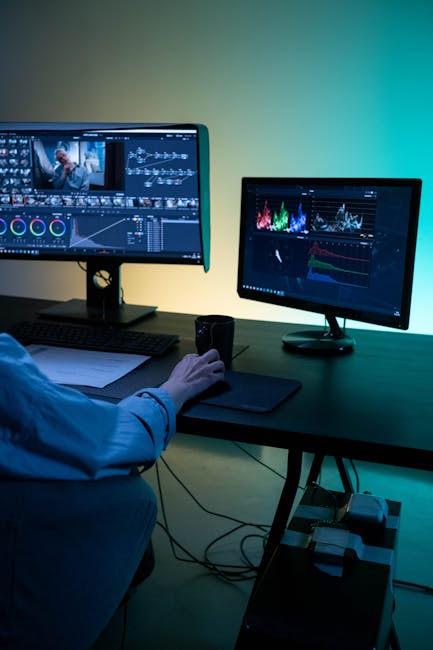
A good workflow beats any station choice. Here’s a method I use in 2026 when I have hundreds or thousands of photos and I need to get to selects quickly.
Step-by-step: two-pass culling with Lithuanian radio on
- Prep (2–3 minutes): Create folders or collections for “Keep,” “Maybe,” and “Reject.” If you’re using Lightroom Classic, set your shortcut keys for rating and flags before you start.
- Pass 1 (10–20 minutes): Delete obvious misses only. Don’t zoom in. Focus on sharpness at a glance, closed eyes, major blur, and duplicates.
- Pass 2 (longer): Go through only the “Keep” and “Maybe.” Zoom in for key moments, check faces, and fix basic crop alignment. If radio gets too talkative, lower volume during this step.
- Export prep mindset: When you reach the “keepers,” switch to a different noise level—either quieter station or even mostly music—because final choices need calmer attention.
This routine works well because your brain has two modes. First you scan. Then you verify. Radio fits best when it supports both modes without spikes in energy.
Control distractions with three simple audio rules
- Rule 1: keep volume low enough that you don’t “wait for the next sentence.”
- Rule 2: avoid sudden volume jumps (some stations do this when ads hit). If you notice spikes, lower your device volume and turn off loud alerts.
- Rule 3: don’t switch stations mid-task during Pass 2. Switching resets your attention.
On my desk, I use closed-back headphones only when needed. For radio during culling, speakers at a low level often work better because the sound feels part of the room. If you work in a shared space, use headphones but keep the volume gentle.
Where to listen to Lithuanian radio online (2026 options)
If you want variety without digging through apps, using a single reliable source is a time saver. In 2026, online listening is usually stable, but you still want a clean page and a stream that doesn’t cut out every 5 minutes.
For a simple starting point, check out radijas. It’s a good place to browse Lithuanian radio stations and quickly find what feels right for focus. When I’m testing stations for editing sessions, I start there because I can compare quickly without bouncing between random sites.
If a stream buffers often, your brain gets pulled away. A bad connection is basically the same as a notification.
Using radio while editing: pair it with the right photo tools
Radio is the background layer. Your tools are the main engine. If your culling tool setup is messy, you’ll feel stressed no matter what’s playing.
Here’s how I pair audio with common workflows for sorting and culling.
Lightroom Classic: use ratings/flags while listening
When I’m using Lightroom Classic, I rely on a fast key system. I rate with numbers (like 1–5) and use color labels for workflow. Radio helps because the station keeps time in the background while I do repeated decisions.
Tip: Do not start with fine zoom work. That’s where radio can trick you into going too slow.
Bridge + Photoshop: keep talk radio for “grouping,” not “spot fixes”
If you’re doing deeper review in Photoshop later, I’d avoid talk-heavy Lithuanian shows during the most careful steps like dust removal or skin retouch basics. Radio is fine while you’re grouping and checking focus, but when you’re editing pixels, keep the sound steadier.
Mobile editing: radio can be trickier
If you edit on a phone or tablet, apps can pause audio when you tap certain menus. You’ll end up restarting streams, which breaks your rhythm. On mobile, I suggest music-based streams first, because they have fewer interruptions and easier pacing.
People Also Ask: Lithuanian radio + photo editing questions
What’s the best Lithuanian radio station for focus while sorting photos?
The best choice is usually the one with the most consistent pacing. For most people, music-based Lithuanian stations with light DJ talk work best for culling because they don’t pull attention away every minute. If you want talk, pick a station with predictable segments and keep volume low.
If you’re not sure where to start, browse options and test for 15 minutes. Your goal isn’t “your favorite station.” Your goal is “station that keeps your brain calm while you scan thumbnails.”
Is talk radio distracting when you’re culling photos?
It can be distracting, especially for Pass 2. Talk radio asks your brain to follow ideas, and culling asks your brain to follow details. The overlap can cause mistakes like skipping a blur check or keeping a near-duplicate.
If you still want talk radio, use it for Pass 1 only. Delete and label quickly. Then switch to a quieter station for final selects.
Can listening to Lithuanian radio improve editing speed?
It can, but only indirectly. Radio helps you maintain a steady mood, and that reduces “stalling.” When you don’t stall, you stop rechecking the same images and you finish faster.
In my experience, speed comes from workflow, not magic audio. But a good station makes the workflow feel easier, which keeps you moving.
How loud should I play Lithuanian radio while editing?
Keep it low. You should hear it, but you should not feel the urge to respond to it. If you notice you’re leaning in or pausing your clicks to listen, turn it down by one or two steps.
Also, avoid letting volume change during ads. Sudden loud sounds spike stress, and stress slows decisions.
Comparison: music stations vs. talk/news stations for culling
Here’s the quick comparison I use when choosing audio for editing sessions.
| Station type | Best for | Risk | My recommended culling step |
|---|---|---|---|
| Music (light DJ talk) | Steady scanning and repeated decisions | Less if songs are consistent | Pass 1 + Pass 2 |
| News blocks | Maintaining attention without silence | Interruptions can pull focus | Pass 1 (labels), later switch for final checks |
| Talk shows | Short sessions or quick grouping | You’ll start listening instead of sorting | Grouping only, not pixel-level work |
One original insight: use “radio switching windows” to avoid mistakes
Most people switch radio whenever they get bored. That sounds harmless, but it’s one of the fastest ways to add errors during culling. Every switch resets your attention, and culling is all about consistency.
My approach is different. I create “switching windows” based on your photo steps. For example, keep one station for Pass 1 (deletes), then switch at the moment you start Pass 2 (zoom checks). If you do need a second switch, wait until you finish a batch of 50–100 photos. That keeps your decisions clean.
It also helps with time. You’ll know exactly when you’re allowed to change the station, so the task feels less endless.
Privacy and safety note (important if you stream radio while editing)
Streaming radio is easy, but you’re also connecting to the internet while working with client photos. If you’re using shared computers or traveling, make sure you’re not logged into accounts you don’t need.
While you’re browsing streams, keep in mind the same rules I write about in cybersecurity for photographers style guidance: avoid shady player sites, keep your browser updated, and don’t install random “audio boosters.” If you’re working with client data, use strong passwords and turn on two-factor login.
If you want deeper safety habits, check your broader workflow too—backup rules, folder permissions, and secure storage. This is part of staying professional, not just about tech comfort.
Quick checklist: set up a focus session in 5 minutes
- Pick one Lithuanian radio station style (music-first is usually best for culling).
- Set volume so you hear it, but you’re not listening for every word.
- Do Pass 1: delete obvious misses without zooming.
- Switch station only at “switching windows” (like before Pass 2).
- Keep your tool shortcuts ready (ratings, flags, and collections).
After a few sessions, you’ll learn your own “focus sound.” For me, it’s usually music with minimal host talk. But if I’m tired, a predictable news rhythm can keep my brain moving.
Conclusion: choose stations that support your culling rhythm, not your taste
The best Listening Guide: Best Lithuanian Radio Stations for Focus While Sorting and Culling Photos isn’t about picking the most popular station. It’s about matching the radio pacing to your photo work: steady scanning for culling, calmer sound for final checks, and smart switching windows to prevent mistakes.
If you want a fast path to Lithuanian radio options, start with radijas and test a station for 15 minutes. Then run your two-pass workflow and keep your volume low. Do that, and your photo sorting sessions will feel less like a chore and more like a clear, repeatable process.
Image SEO note: Featured image alt text suggestion: “Lithuanian radio app listening while sorting photos on a laptop for focus.”